
Categories
Blog Getting Started Uncategorized

Unleashing Creativity with Woodworking Software

software for woodworking

Unleashing Creativity with Woodworking Software: A Deep Dive into SketchList 3D

In woodworking, precision, efficiency, and creativity are paramount. The days of painstakingly drawing each design by hand are behind us. Enter SketchList 3D, the revolutionary woodworking software that has transformed how amateur and professional woodworkers approach their craft.

Why Woodworking Software?

Using software for woodworking streamlines the design process, allowing for more intricate and accurate planning. It eliminates the guesswork, ensures material optimization, and enhances project visualization. But among the myriad of options, what sets SketchList 3D apart?

The Standout Features of SketchList 3D

1. 3D Modeling Capabilities

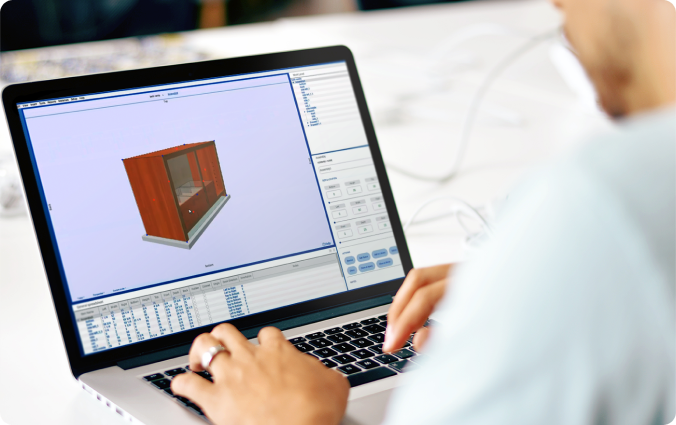
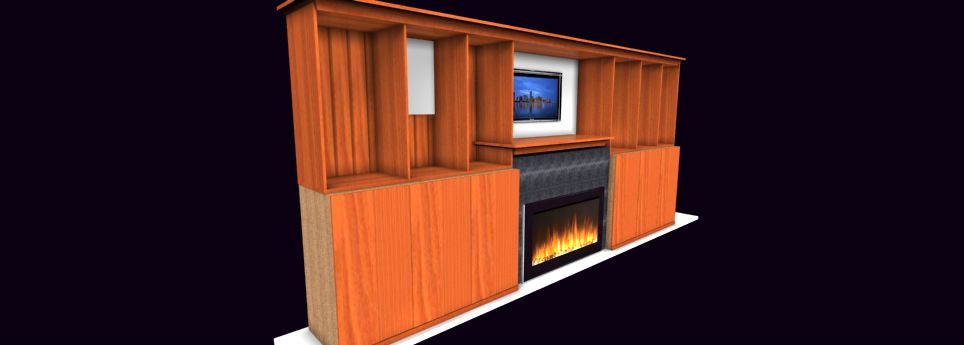
SketchList 3D allows users to create detailed 3D models of their woodworking projects.  And this helps visualize the final product and helps identify potential design flaws early on.

2. Parametric  Interface for software for woodworking

With its intuitive parametric interface, SketchList 3D makes designing a breeze. Above all, users can easily adjust their design elements’ dimensions, shapes, and positions in real-time—better than Woodworking CAD software. 

3. Cut Lists and Material Optimization

One of the standout features of SketchList 3D is its ability to generate cut lists and optimize material usage. This ensures that woodworkers can minimize waste and reduce costs, making it an eco-friendly choice.

4. Customizable Reports

SketchList 3D provides detailed and customizable reports. These reports can include cut lists, material requirements, and project timelines, allowing for better planning and project management.

Practical Applications

And if you’re building a simple bookshelf or a complex custom cabinet, SketchList 3D is designed to handle projects of all sizes and complexities. Its versatility suits hobbyists working in their garages and professionals crafting high-end furniture.

Enhancing Your Software for Woodworking Experience

By leveraging the power of SketchList 3D, woodworkers can elevate their craft to new heights. The software’s precision and efficiency save time and resources and open up new avenues for creative exploration.

By incorporating tools like SketchList 3D into your woodworking practice, you can stay ahead of the curve and bring your most ambitious projects to life.

A leading tech review organization, Trustredius,  said of SketchList:

“Overall, SketchList 3D enhances woodworking and construction materials’ design, manufacturing, and costing processes. Its user-friendly features, comprehensive templates, and realistic renderings have garnered positive feedback from users in various industries.”

Happy woodworking!

Categories
Furniture Design Videos

Cutting a key hole with the shape tool of SketchList 3D

An easy-to-use woodworking design software package can also step up to create some of the details and little features needed in woodworking or cabinet projects. This video shows how the shape tool is used to cut a keyhole into a board’s surface.

Categories
Furniture Design Videos

Using SketchList 3D to prepare for CNC cutting

This video shows how to design a cabinet side with dado, rabbet, and shelf pinholes. The part is transferred to a dxf file which is used in Vcarve to produce the necessary file for cutting on a CNC machine. [Note – in the video version 4 of SketchList is used. Version 5 is the current release. The process remains the same, but the new interface makes it much easier.

Categories
Cabinet Videos

Processing a DXF file from SketchList 3D to create a cabinet side.

Ralph Bagnall, CNC expert and author shows how to use the DXF files exports from SketchList 3D in VCarve to create a tool path for CNC.

Categories
Cabinet Videos

Woodworking Design software – making a two drawer book shelf

This video shows how to use the tools and techniques of SketchList 3D to virtually build a woodworking project. There are only three steps and three tools needed in the software. Very easy to use and learn. Get a free SketchList 3D trial at www.sketchlist.com

Categories
Videos Woodworking

Using SketchList 3D to design woodworking projects in metrics

The video shows how to create projects, add materials, and create boards in the metric system. It also shows how to adapt the Cabinet Wizard to metric.

SketchList 3D allows you to build a three-dimensional model of your design with striking life-like detail. Completely-integrated reports give you all you need to get to the shop and start cutting. It is easy to learn and fun to use! Professional woodworkers use SketchList 3D to design, visualize, and improve designs so that actually constructing the piece is smooth and error-free.

Categories
Videos Woodworking

Customer shipping approaches – pallets, carts, and boxes

SketchList 3D is used for shipping box designs, pallet designs, and cart designs. The video shows carts and pallets – but the boxes follow the same ideas. You can easily customize any aspect of your design. Once you make one design you can use it over and over again, modifying it as needed. Shop drawings, cut lists, and material cutting layouts are all included and automatic.

Categories
Getting Started Videos

V5 Project and assembly

The first thing to know about SketchList 3D is you create designs by working with virtual three dimensional boards. They have sizes they have colors and grain. The big task is how do you organize those. And we have this nest of containers that are used for organization.

Categories
Furniture Design Videos

V5 Drawer design with new board form

In this video we insert and build out a drawer using the new board form. The drawer container is inserted into the assembly. Then 3D virtual boards are inserted, sized and located within the drawer. The tools to do this are used in the video.