Cabinet Design Software Enables Face Frame Placement
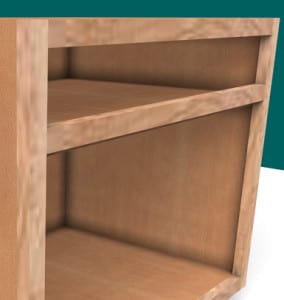
How to place face frames on your case work.
Had an good online training session Saturday morning with a few SketchList 3D users. Covered placing objects and moved onto joinery – dado placement on board surfaces. One user wrote in that it helped him along and still had a question on face frames.
So here is a video on using the cabinet making software for putting frames onto your case work. It is basically a matter of placing – in this case – five boards on the front. Remember the ‘back’ value of the frame must equal the ‘front’ value of the case boards! In addition you use the FLAT orientation for frames – since you are looking at the assembly from the front and want to see the rail or stile surface and not its edge. Grain direction – usually – is width for rails and height for stiles. Match up the various lefts and rights, tops and bottom and you will be all set.
What I forgot! Of course you can contour the corners of the frames and / or miter them as well. They are just like any other board in SketchList 3D.
David Rozewski

SketchList began out of frustration with other CAD programs not meeting the woodworkers needs. Initially marketed to hobby users, the vast percentage of our users turned out to be professionals. Our goal is to make powerful design software for woodworkers and will improve their work and their businesses.