
Where are my project files so I can transfer them to my new computer

If you’re on macOS computer

1. Launch SketchList and from the top menu select SketchList -> About SketchList.
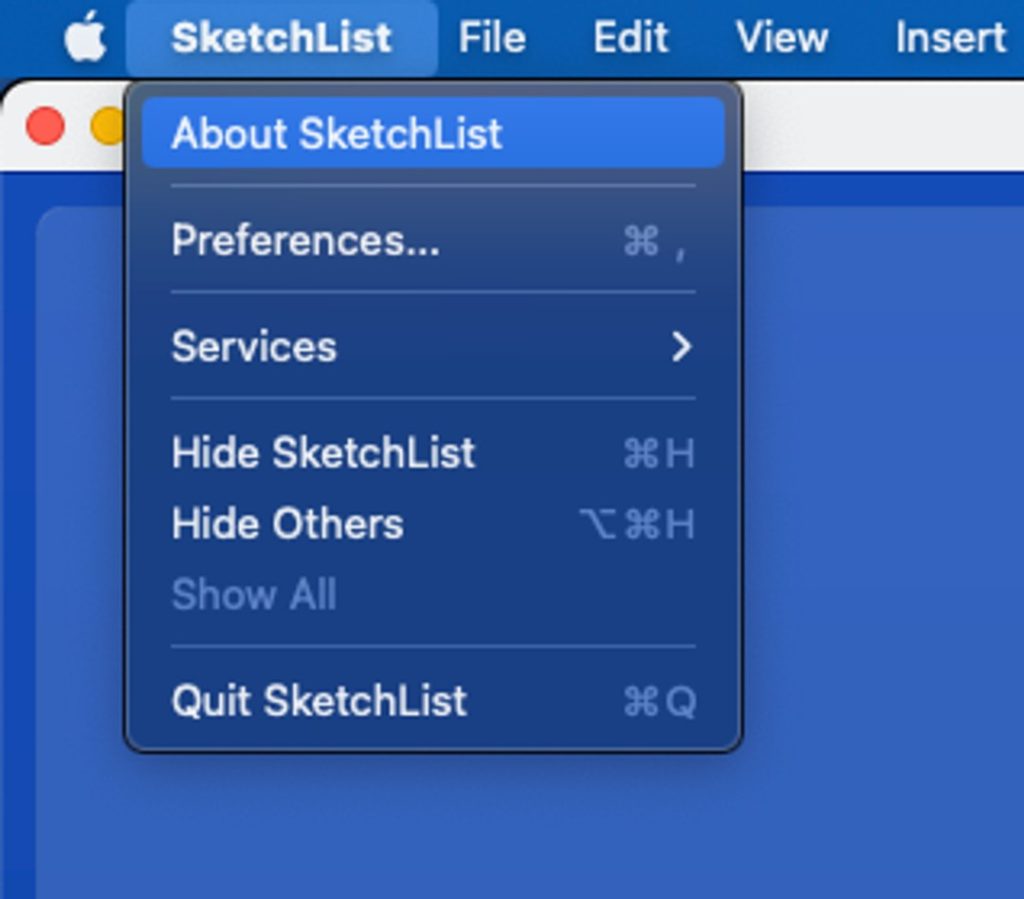
About Sketchlist 3d Software

2. In the About dialog, expand Debug section
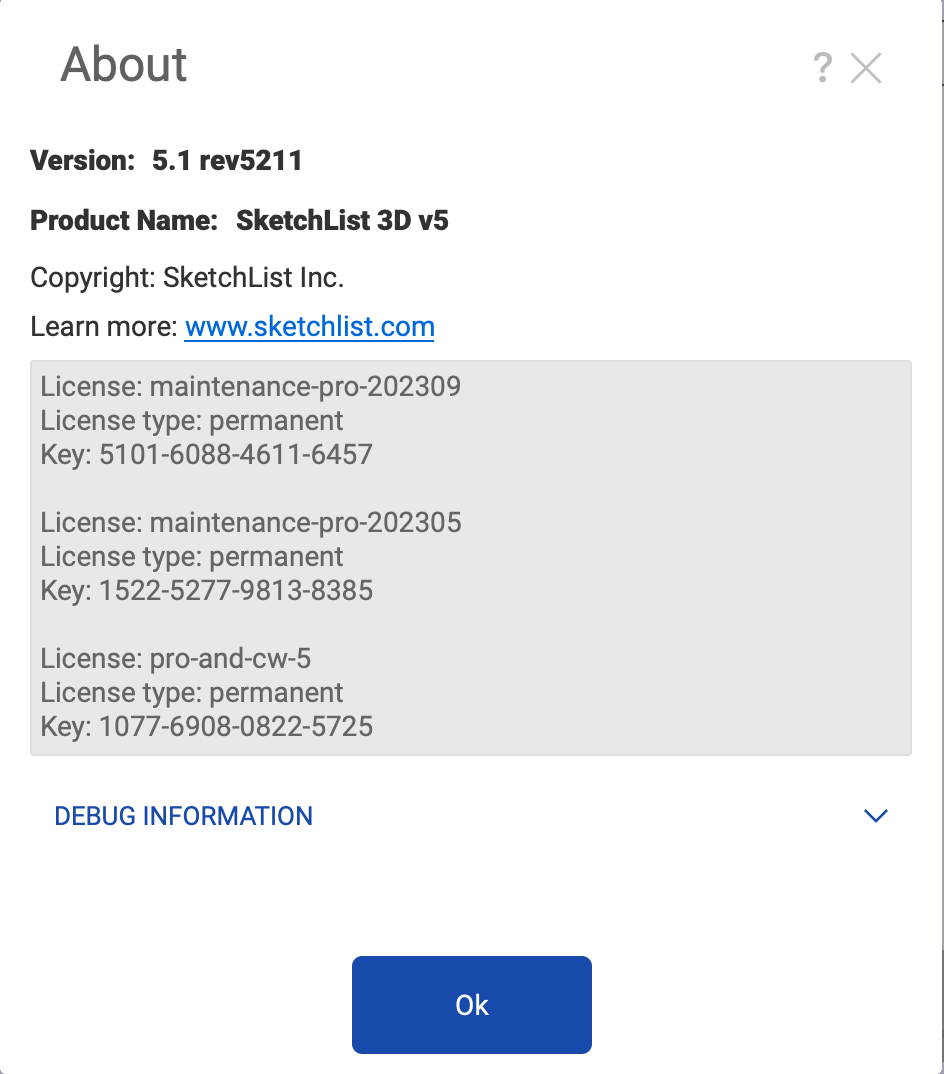
How to locate project file - About Section

3. Click Open Data Folder. In this folder you will find SketchList’s database file woodworking.local.db3 with all your projects in it and Textures directory with images for any custom-made material that you may use.
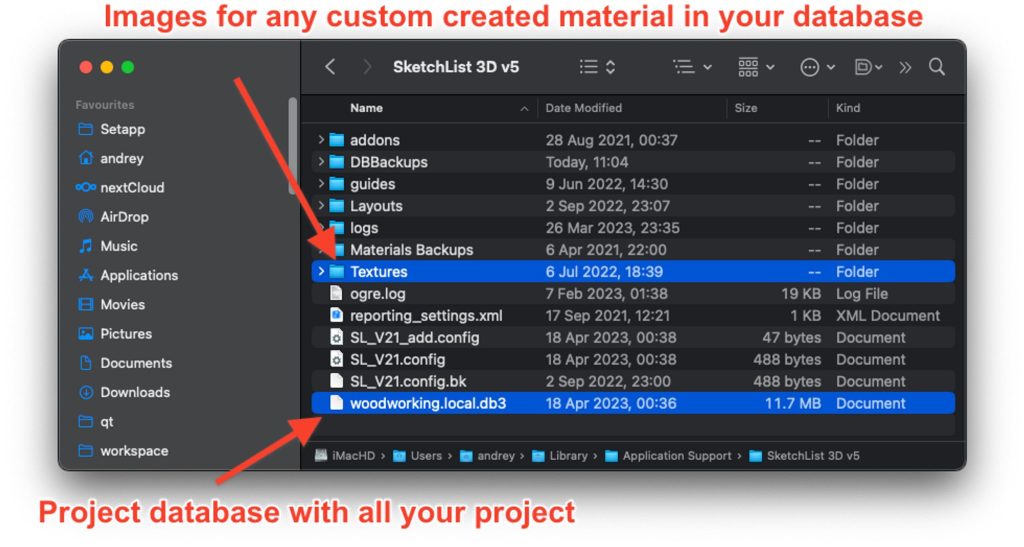
project database with all your sketchlist project

4. Save this file somewhere, and then copy it into the same location on your new Mac. Keep in mind that when you’ll copy it to a new computer, it will replace any existing projects there.

If you’re on Windows PC computer

1. Launch SketchList and open any project.

2. From the main menu, select Help -> About
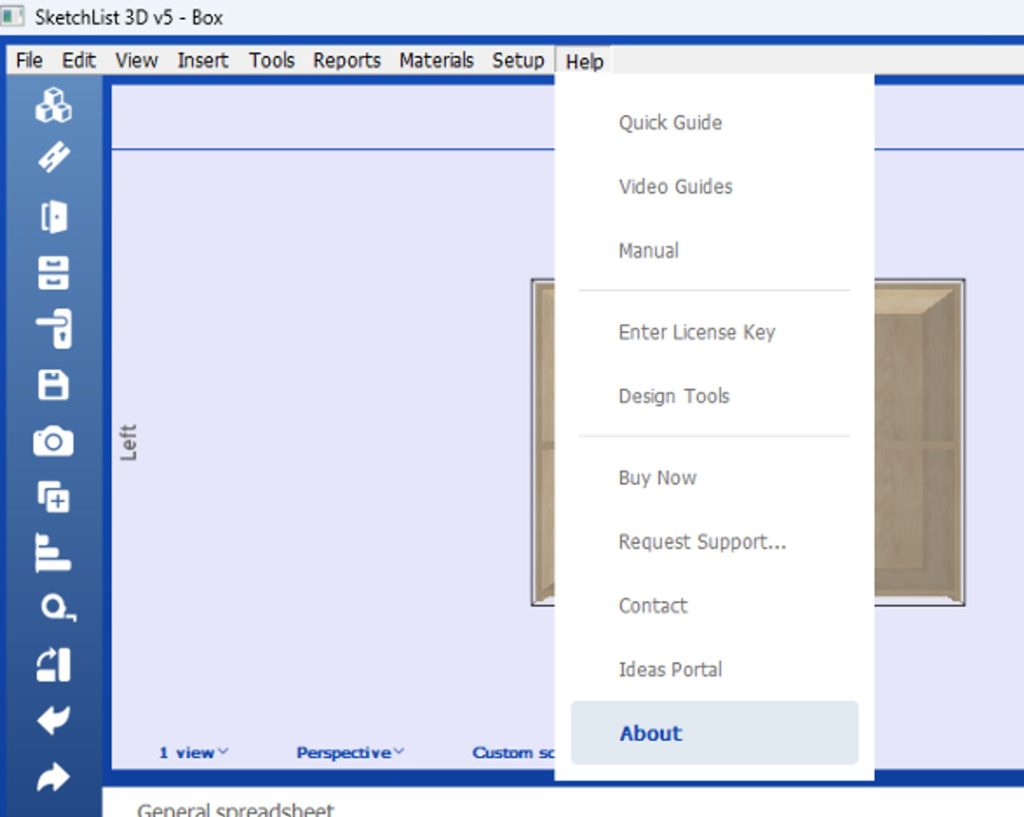
sketchlist 3d v5 tutorial

3. In the About dialog, expand Debug section.
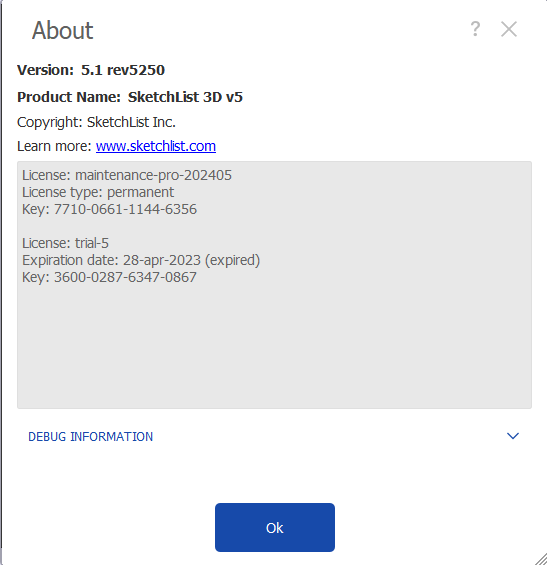
How to locate project file - About Section 2

4. Click Open Data Folder. In this folder you will find SketchList’s database file woodworking.local.db3 with all your projects in it and Textures directory with images for any custom made material that you may use.
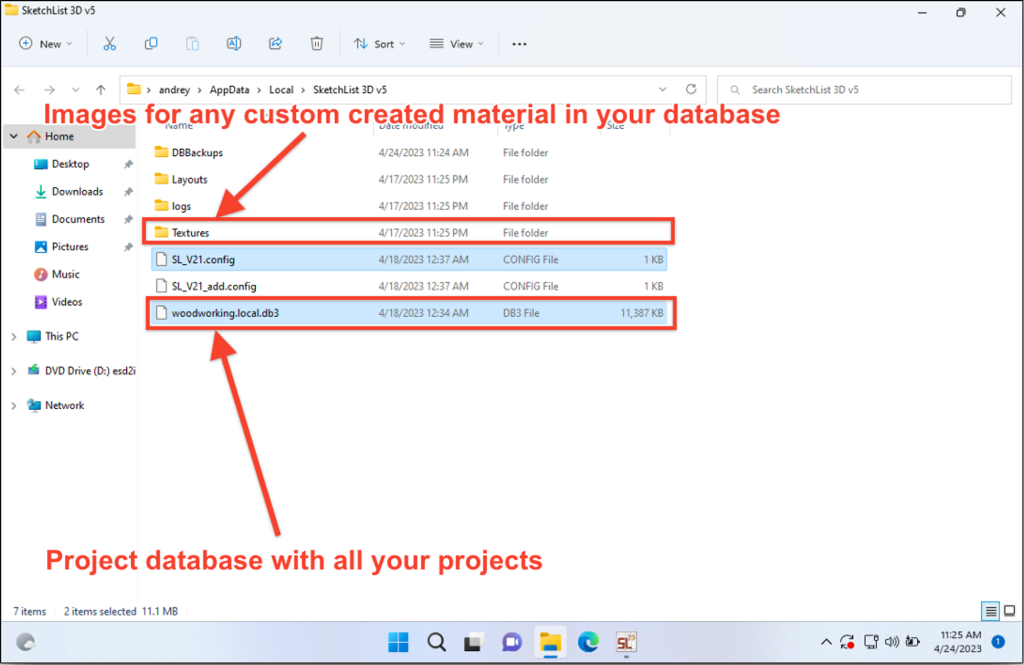
How to locate project file - document folder

5. Save this file somewhere, and then copy it into the same location on your new PC. Keep in mind that when you’ll copy it to a new computer, it will replace any existing projects & materials there.

Author

SketchList began out of frustration with other CAD programs not meeting the woodworkers needs. Initially marketed to hobby users, the vast percentage of our users turned out to be professionals. Our goal is to make powerful design software for woodworkers and will improve their work and their businesses.

Related Articles

Blog

·

4 min

Cabinet Software Pricing Guide

A thoughtful cabinet software pricing guide and evaluation goes far beyond spotting the lowest number on a page. It’s about...

Basics and How toBlogUncategorized

·

3 min

How Cabinet Design Software Is Transforming Woodworking

In the world of woodworking, precision is everything. Whether you’re crafting a custom kitchen, building a bespoke entertainment center, or...

BlogWelcome

·

4 min

The Complete SketchList 3D Setup Guide: 9 Steps to Master Woodworking Design Software

SketchList 3D is designed for woodworkers of any level of computer experience. You don’t need CAD training or special software...

SketchList 3D

Bring Your Woodworking 
Projects to Life

Our woodworking design software helps you turn time-consuming and frustrating processes into streamlined, enjoyable projects that support creative and high-quality outcomes. With SketchList 3D, you can enjoy the craft of woodworking again.