Build a Desk – Nice Example of one woodworker’s great accomplishment.
Jerry Wees is a woodworker who designed his project to build a desk in SketchList 3D. This post provides before (SketchList images) and after (photographs) of various views showing his fine effort to build a desk.
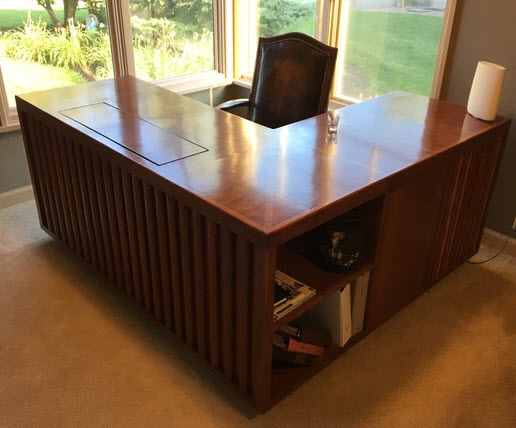
This is a very elegant desk, nicely finished, great proportions, and very functional. It is also a fairly complex undertaking because of all of the shelves, drawers, and pullouts on seemingly every side of the desk. Another views shows some of this complexity.
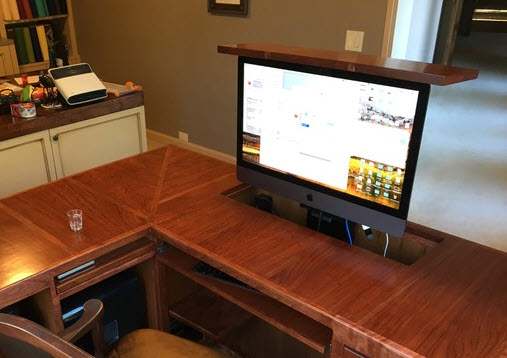
Notice the way the two wings of the L come together in the corner. And in the view you can see a few of the shelves and pullouots used for supplies, a keyboard, and a printer.
Images and models
This would be a difficult piece of work to pull off without detailed plans or the ability to test various alternatives on the computer screen. For Sketchlist 3D that looks like this.
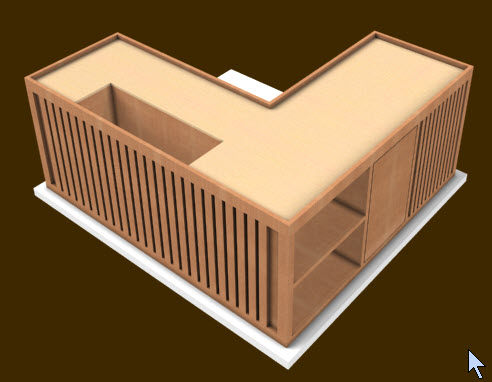
And the second view looks like this model.
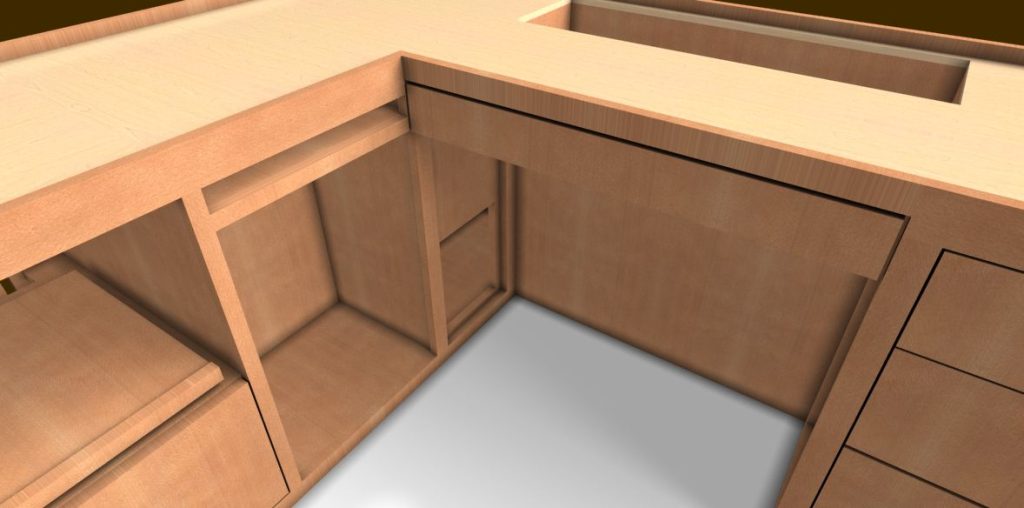
The design is very functional with pull out sliders for the printer and other equipment.
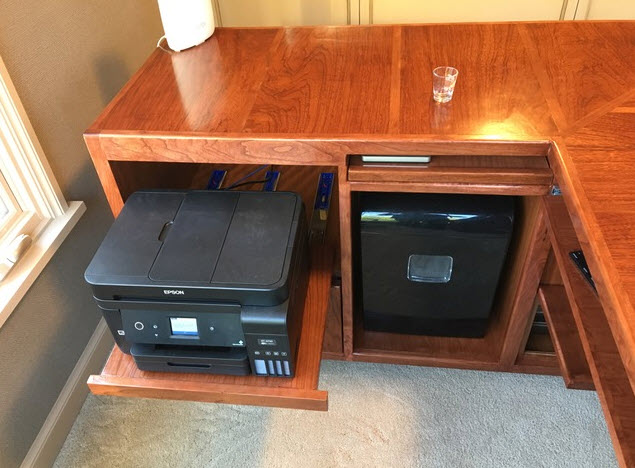
In SketchList 3D the model for this follows.
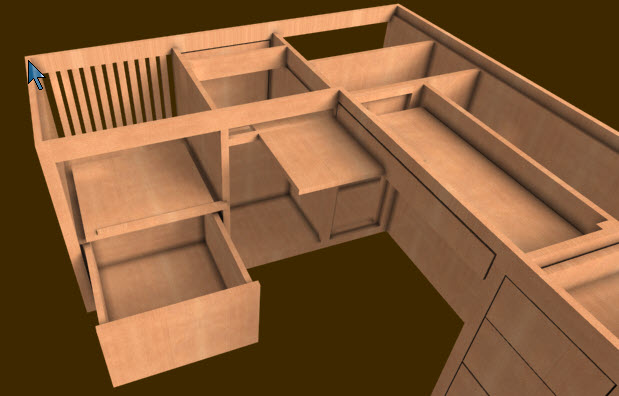
By carefully modeling the design to build a desk on the computer screen, you can check if drawers and pullouts will fit before you cut any stock.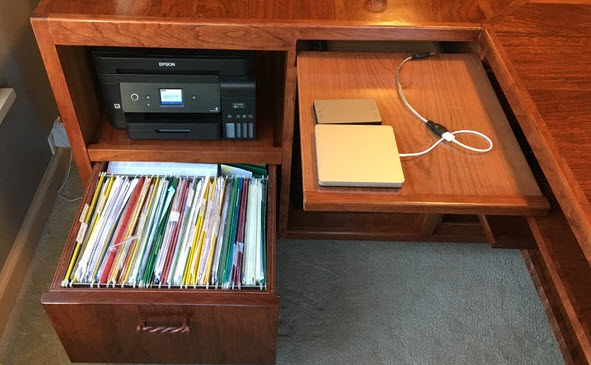
Of course there is a file drawer! In SketchList 3D it is complete with 2 sides, a drawer, a front and back, and a bottom. The panel on front even includes some nice detail. If you are going to build a desk – do it right!
One very nice detail is the pop-up mechanism for the screen at the back of the desk top.
In the model that cutout fits the hardware used for the pop-up. The actual top was hidden to show the parts underneath.
In fact, speaking of parts underneath look at this exploded view!
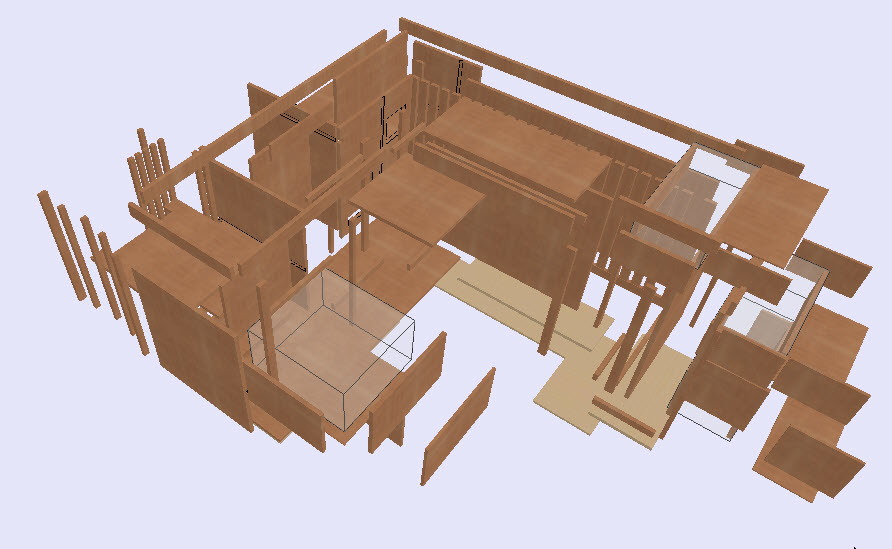
Reports
Wow it’s a good thing there are drawings and reports to help put this together!
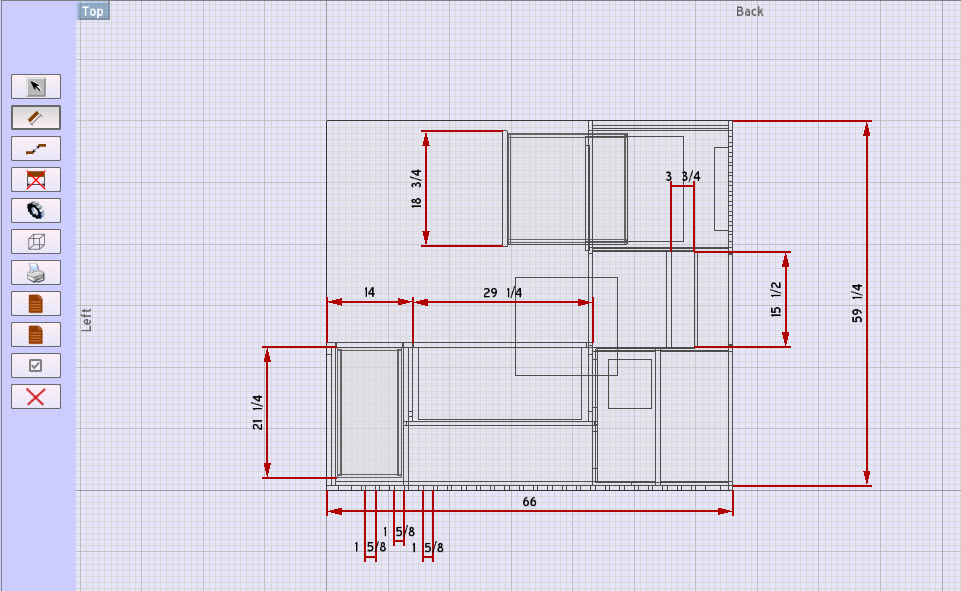
Multiple shop drawings can be created in minutes.
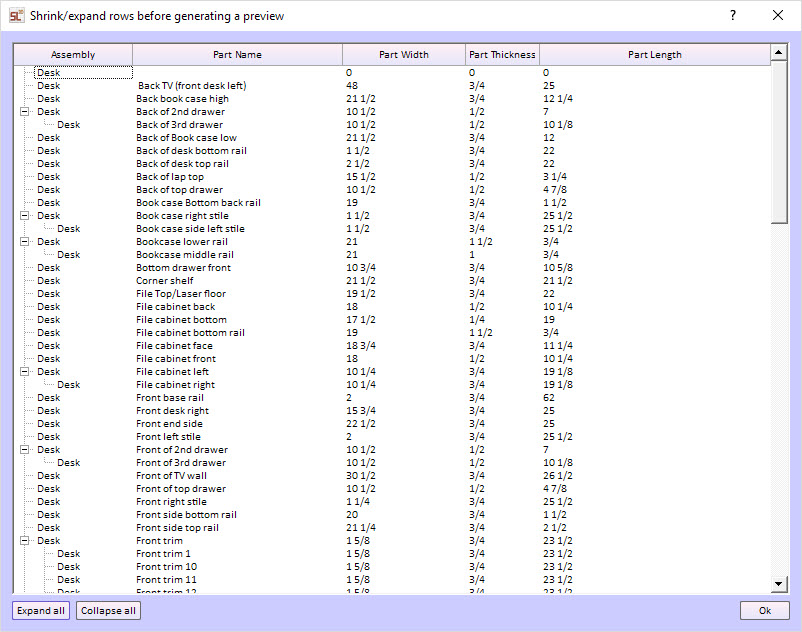
And the cut list is always there. Every time you add or change a board in the model that change is instantly added to the cut list.
If you a are going to build a desk – wouldn’t you like to have a complete set of plans and drawings to help you? Better yet if you build a desk – wouldn’t it be nice to absolutely customize it to your customer’s needs?
Here’s another example of a desk model in Sketchlist 3D.