Categories
Uncategorized

App for woodworking design: Steps of process explained

woodworker drawing App for woodworking design

In today’s competitive woodworking industry, precision, efficiency, and speed are key to standing out. Whether you run a professional woodworking shop or create high-end custom pieces as a serious hobbyist, the ability to design quickly and accurately can make all the difference. Traditional sketching methods or complex CAD software can slow you down, leading to inefficiencies and costly mistakes. That’s why many woodworkers are turning to digital solutions, particularly an app for woodworking design that simplifies the process and maximizes productivity.

The Challenges of Traditional Woodworking Design

To draft their projects, many custom woodworkers still rely on hand-drawn sketches, graph paper, and basic calculations. While this may work for small, simple pieces, it becomes increasingly inefficient for detailed, high-end woodworking projects. Challenges include:

  • Time-consuming revisions – If a client requests changes, you may need to redraw entire plans.
  • Errors in measurements – Even minor miscalculations can lead to wasted materials and extra labor.
  • Difficulty visualizing the final product – Two-dimensional sketches don’t always convey the whole picture.
  • Limited ability to communicate with clients – Without a clear 3D representation, clients may struggle to understand the final design.

By adopting an app to draw woodworking plans, woodworkers can eliminate these inefficiencies and streamline their design process.

The Need for a Smarter, Faster Design Tool

Woodworkers need a solution that allows them to generate, modify, and present designs quickly. However, traditional CAD software is often too complex, requiring extensive training and time investment. This is where an app for woodworking designed for ease of use comes into play.

What to Look for in a Woodworking Design App

When choosing the right app for woodworking design, consider the following features:

  • Ease of Use – The software should be intuitive, allowing even those without a technical background to create detailed plans.
  • 3D Visualization – A good app enables woodworkers to see their project in a realistic 3D model, making it easier to identify potential design flaws before cutting materials.
  • Automated Cut Lists and Reports – Time is money, and an app that automatically generates cut lists and material reports can save hours of manual calculations.
  • Quick Revisions – Making changes to a design should be as simple as dragging and adjusting components rather than starting from scratch.
  • Integration with CNC Machines – If you use automated machinery, the app should be compatible with your tools to ensure seamless production.

The Benefits of Digital Woodworking Design

Switching to an app to draw woodworking plans isn’t just about keeping up with technology—it’s about improving efficiency, reducing waste, and enhancing the overall quality of your projects. Here’s how a digital design tool can benefit your woodworking business:

1. Faster Project Turnaround

A high-end app for woodworking design allows you to create detailed plans in minutes rather than hours. Whether designing a custom cabinet, a complex bookshelf, or an intricate furniture piece, the speed at which you can adjust and refine designs directly translates into faster production times.

2. Improved Accuracy and Precision

Digital design tools eliminate common human errors associated with manual drafting. With precise measurements and automated calculations, you can be confident that your final product will match the initial concept.

3. Enhanced Client Communication

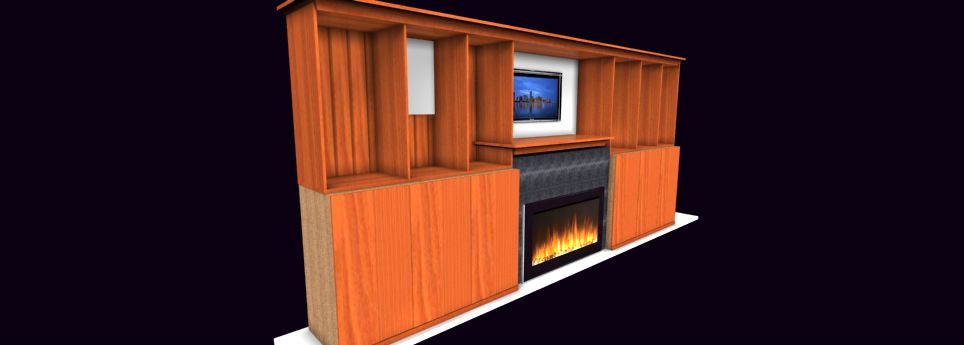
Showing clients a 3D rendering rather than a flat sketch helps them visualize the finished product better. This leads to fewer misunderstandings, greater satisfaction, and a higher likelihood of securing repeat business.

4. Cost Savings Through Material Optimization

An app to draw woodworking plans can help reduce material waste by optimizing cuts and layouts. Automated reports ensure you purchase only what’s needed, saving money on excess lumber and supplies.

5. Competitive Advantage in the Market

High-end woodworking businesses thrive on reputation and efficiency. By adopting modern design technology, you position yourself ahead of competitors who still rely on outdated methods.

How to Get Started with a Woodworking Design App

If you’re new to digital design, transitioning to an app for woodworking may initially seem daunting. However, many software solutions are designed with simplicity in mind. Here’s how to get started:

  1. Choose the Right Software – Look for an app that caters to woodworkers rather than general CAD programs.
  2. Watch Tutorials and Learn the Basics—Many woodworking design apps offer free training videos and tutorials to help you get started quickly.
  3. Start with Simple Projects – Begin by designing a basic project to get comfortable with the interface and features.
  4. Explore Advanced Features—Once familiar with them, utilize more advanced functions like cut list generation, joinery automation, and material cost estimation.
  5. Implement in Your Workflow – Integrate the software into your daily business operations to maximize efficiency.

Final Thoughts: The Future of Woodworking is Digital

As technology continues to evolve, the woodworking industry is following suit. A powerful app for woodworking design is no longer a luxury but a necessity for serious professionals and high-end hobbyists. Whether crafting custom furniture, high-end cabinetry, or complex wooden structures, a digital design tool will help you work smarter, faster, and more precisely.

By embracing an app to draw woodworking plans, you’ll save time, reduce waste, and improve customer satisfaction—ultimately leading to a more profitable and sustainable woodworking business. If you haven’t yet made the switch, now is the time to explore how modern design tools can elevate your craft.


For more see this post.

For more about SketchList 3D – read this review.

Categories
Blog Uncategorized Woodworking Business

Woodworking design application helps avoid losing job bids.

 Challenges Facing Your Cabinet-Making Business


woodworking design application


Losing Business Due to Poor and Delayed Proposals

The impact of a poorly crafted or late proposal can be daunting. First impressions matter deeply, and it’s heartbreaking to think that a single slip could tarnish your reputation. A disorganized submission might lead clients to question the quality of your work. It’s understandable to feel concerned about the long-term effects this could have on your ability to attract new business. Creating clear proposals can help rebuild confidence and enhance your credibility within the industry.


Timeliness in Proposal Development


We know the pressure of promptly delivering proposals can weigh heavily on your shoulders. In a fast-paced market, you need more time to prepare a proposal to avoid losing clients. Those seeking personalized cabinetry often juggle tight schedules, and understandably, your delays can create an impression of disinterest in the job. It’s important to remember that timely responses can reflect your respect for clients’ needs and showcase your dedication to their projects. Streamlining your proposal-making process can be a huge relief, helping you stay competitive without the added stress.


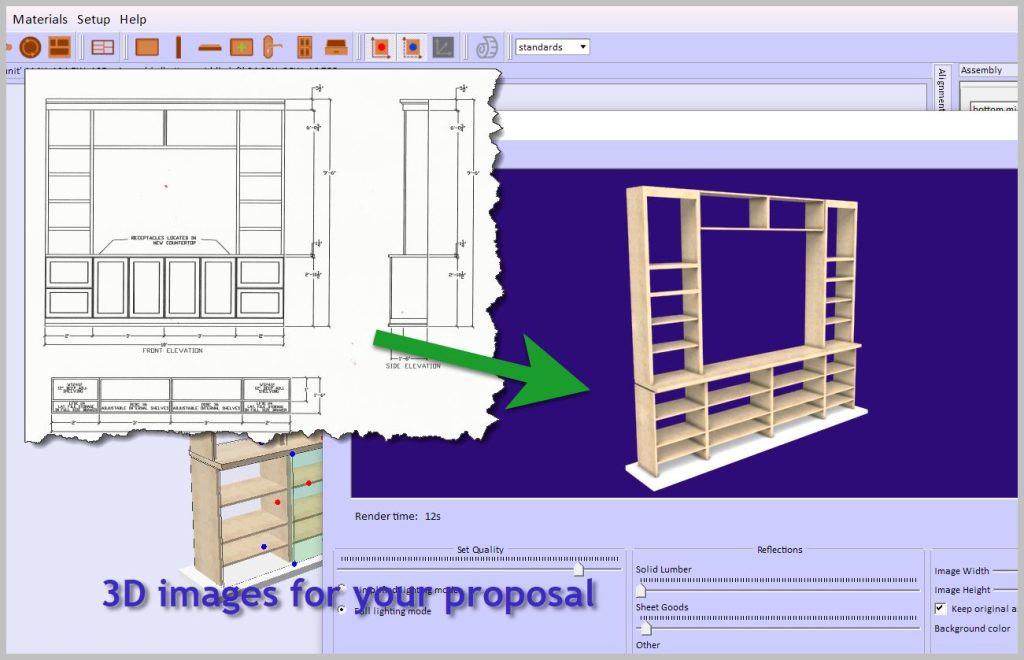
Developing Proposals without quality images is a terrible business.


It can be disheartening when you put in so much effort only to find that your proposals lack high-quality images. It’s natural to want your work to shine; without stunning visuals, your true talent may be overlooked. This can feel frustrating, especially when you know the quality of your craftsmanship deserves recognition.


Redfin investigated the value of professional-looking images.  They found that people viewed offerings with great images 60% more than those without. Furthermore, 47% of offerings with good images sold faster and at higher prices.  


Investing in imaging capabilities is about more than looks; it’s about fostering trust and showing clients the professionalism they seek.


Difficulty in Making Design Changes


It’s not uncommon to struggle with making last-minute adjustments to the plans, especially at the job site, where client preferences can shift suddenly. Clients expect flexibility, and it is tough when you cannot accommodate their evolving visions. You have a lot of work to do in the shop and with other prospects.


Embracing tools that allow quick revisions can enhance your adaptability and strengthen your relationship with clients, showing them that you will meet their needs.


Lack of Essential Reports for Building Projects


cabinet design software rendered


We recognize the importance of having thorough reports for your building projects. Without detailed specifications and accurate measurements, the risk of missteps increases significantly, which can lead to costly errors down the line. This pressure can be incredibly stressful, especially when these complications affect timelines and budgets. Prioritizing comprehensive design software alleviates much of this pressure, helping ensure your operations run smoothly and efficiently.


Consequences of Not Addressing These Issues

Ignoring these challenges can lead to feelings of frustration and concern. We all want to provide the best service possible, but we must focus on these areas to ensure customer satisfaction and retention. In a market where reputation is everything, it’s heartbreaking to think that discontented clients could tarnish your hard-earned image. Operational inefficiencies and errors can also lead to financial strain, making it harder to sustain your passion for your craft.


Taking Action: Use a Woodworking Design Application.


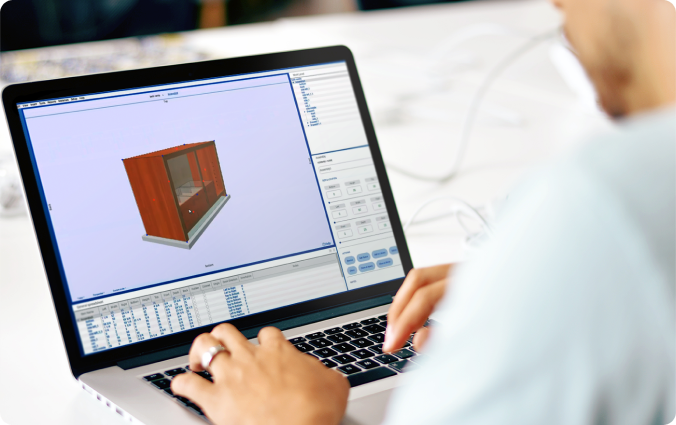
Introducing SketchList 3D, a comprehensive woodworking design software that addresses the critical challenges cabinet-makers face. It automatically creates high-quality images, produces a complete set of reports for planning and purchasing, creates cut lists and shop drawings, and optimizes sheet good layouts. Most importantly, any change in design instantly updates all the outputs, saving you time and effort.

SketchList’s woodworking design application provides:

  • A catalog of existing projects.
  • A library of cabinet objects.
  • A Cabinet Wizard that creates cabinet designs in minutes.


SketchList 3D is designed to replicate the experience of working in your shop, using the same terms, techniques, and ideas you’re familiar with. You can create designs by organizing virtual boards on your screen, adding a joint with a few mouse clicks, and making changes quickly and easily. The intuitive and user-friendly software ensures a smooth transition for your business.  


We understand that facing these challenges can be tricky, but taking action now can lead to a brighter future for your business. With SketchList 3D, you’re not alone in this journey. By addressing these concerns thoughtfully, you can create a positive path forward, feeling reassured and confident in the relief and peace of mind that the software can bring.


By using Skechlist 3D, you’ll get better-looking proposals in less time. The software’s checks while designing lessen the chance of making an error. Changes take a small fraction of the original version’s time. The reports are integrated and instant and help communicate with workers and customers.


Don’t just take our word for it. Here’s what some of our users have to say about the SketchList 3D woodworking design application:


“I got new orders thanks to my craftsmanship and SketchList 3D! They told me they couldn’t believe how fast I produced their new kitchen concept drawings.”


Lou Farkas


“I’ve had Sketchlist for a few weeks now and already sold four jobs with it. I just figured out how to put all four wardrobes into one project and run the optimizer to see what materials to order! Thanks, you just saved me some time!”


Shawn Jensen


“The trial version was very helpful in one of my larger jobs, and the finished product was spot-on for the on-site installation. The client LOVED the piece, and we’re discussing another large job.”


Robert Hsu


How do you get to success in implementing a woodworking design application?


We will work with you. That means, in part, we provide you with videos, tutorials, and free online training meetings; we are also available via email, text, or phone to help you. With SketchList 3D, you’re not just getting software; you’re getting a team dedicated to your success, making you feel supported and cared for in your journey to enhance your business operations.


Now, forget those frustrating and disappointing times when you find out your proposal was not accepted. And the time invested and the money from the job is lost.  

With the SketchList woodworking design application, you save time and have all the designs and input you need to win jobs. Winning a job brings great satisfaction in terms of the money earned and how a satisfied client can make you feel about your skills and professionalism. This sense of accomplishment and satisfaction can be a great source of motivation and inspiration for your work.

Check here for pricing.


Categories
Uncategorized

Designing Optimal Storage Units with SketchList 3D

Designing Optimal Storage Units with SketchList 3D

Closet design

Optimizing space and organizing belongings can be challenging. However, with the right tools, such as SketchList 3D, you can design effective storage units that save space and integrate seamlessly with your interiors. Let’s delve into the process of designing storage units using SketchList 3D.

1. Introduction to SketchList 3D

SketchList 3D is a powerful design tool that offers a wide range of features for designing complex projects like built-in storage units. The demand for these units has surged, making SketchList 3D a go-to tool for many due to its ease of managing large and intricate projects.

2. Benefits of Using SketchList 3D

SketchList 3D has a myriad of benefits that can transform your design process. These include:

  • Design Flexibility: allows you to experiment with different design approaches until you find the perfect fit.
  • Detailing: allows you to add detailed elements to your design, giving you a clear picture of the final outcome.
  • Efficiency: streamlines the design process by providing necessary reports and drawings.

3. Designing a Storage Unit with SketchList 3D

Designing a storage unit using SketchList 3D is a systematic process. You can start by outlining your requirements, sketching a basic design, and gradually adding details to it. Remember, the goal is to utilize space optimally while ensuring the unit blends well with your interiors.

5. Drafting and Construction Details

Once your storage unit design is finalized, SketchList 3D helps you move forward by providing comprehensive reports and drawings. These are essential for the construction phase, ensuring your design comes to life exactly as you envisioned.

6. Optimization and Cutting Diagrams

One of the standout features of SketchList 3D is its ability to provide optimized cutting diagrams. This feature can be a real game-changer, especially when you are dealing with large sheets of plywood. The program lays out the most efficient cutting diagrams, saving you time and effort.

7. Design Changes and Revisions

Designing is an iterative process, and SketchList 3D understands that. The tool allows you to make design changes quickly and efficiently, which is crucial for complex projects such as storage units.

8. Handing Over to the Supplier

Once you have your cutting diagrams, you can hand them over to your supplier. They can cut the plywood to size, saving you the hassle of managing large sheets.

9. User Experiences and Feedback

Users of SketchList 3D have reported positive experiences with the tool. They have found it helpful in designing complex projects and managing construction details.

“SketchList 3D was instrumental in bringing my largest and most complex project to life. I was able to save hours of work by having my supplier cut the plywood to size. I couldn’t have done it without SketchList 3D!” – Mike, a SketchList 3D user.

10. Additional Resources

You can check out the weekly training session on storage units here. This 20-minute video offers a comprehensive overview of the tool’s features and how they work together to create a functional design.

11. Final Thoughts

Designing storage units with SketchList 3D helps optimize space and adds aesthetic value to your interiors. The tool’s flexibility, detailing, and efficiency make it a valuable asset for both personal and professional projects.

12. Contact Information

For any questions or feedback, feel free to reach out to Dave Rozewski at email dave@sketchlist.com

Categories
Blog Getting Started Uncategorized

Unleashing Creativity with Woodworking Software

software for woodworking

Unleashing Creativity with Woodworking Software: A Deep Dive into SketchList 3D

In woodworking, precision, efficiency, and creativity are paramount. The days of painstakingly drawing each design by hand are behind us. Enter SketchList 3D, the revolutionary woodworking software that has transformed how amateur and professional woodworkers approach their craft.

Why Woodworking Software?

Using software for woodworking streamlines the design process, allowing for more intricate and accurate planning. It eliminates the guesswork, ensures material optimization, and enhances project visualization. But among the myriad of options, what sets SketchList 3D apart?

The Standout Features of SketchList 3D

1. 3D Modeling Capabilities

SketchList 3D allows users to create detailed 3D models of their woodworking projects.  And this helps visualize the final product and helps identify potential design flaws early on.

2. Parametric  Interface for software for woodworking

With its intuitive parametric interface, SketchList 3D makes designing a breeze. Above all, users can easily adjust their design elements’ dimensions, shapes, and positions in real-time—better than Woodworking CAD software. 

3. Cut Lists and Material Optimization

One of the standout features of SketchList 3D is its ability to generate cut lists and optimize material usage. This ensures that woodworkers can minimize waste and reduce costs, making it an eco-friendly choice.

4. Customizable Reports

SketchList 3D provides detailed and customizable reports. These reports can include cut lists, material requirements, and project timelines, allowing for better planning and project management.

Practical Applications

And if you’re building a simple bookshelf or a complex custom cabinet, SketchList 3D is designed to handle projects of all sizes and complexities. Its versatility suits hobbyists working in their garages and professionals crafting high-end furniture.

Enhancing Your Software for Woodworking Experience

By leveraging the power of SketchList 3D, woodworkers can elevate their craft to new heights. The software’s precision and efficiency save time and resources and open up new avenues for creative exploration.

By incorporating tools like SketchList 3D into your woodworking practice, you can stay ahead of the curve and bring your most ambitious projects to life.

A leading tech review organization, Trustredius,  said of SketchList:

“Overall, SketchList 3D enhances woodworking and construction materials’ design, manufacturing, and costing processes. Its user-friendly features, comprehensive templates, and realistic renderings have garnered positive feedback from users in various industries.”

Happy woodworking!

Categories
Uncategorized

Pleasure in Woodworking: The Role of Furniture Design

woodworking traditional design apporach

Discovering Pleasure in Woodworking: The Role of Furniture Design

Woodworking offers a world where decorative and useful objects are crafted with skill and care, extending even to design[1] https://www.thecrucible.org/guides/woodworking/.  Consequently this craft encompasses a variety of methods like forging and welding. And it also highlights the importance of safety and professional training for those choosing woodworking as a career or hobby[1] https://www.thecrucible.org/guides/woodworking/.

Delving into furniture design, woodworking elevates from mere construction to an art form that blends functionality with creativity[1]. Through professional courses and apprenticeship programs, aspiring woodworkers can grasp the nuances of design. Thus ensuring their crafted pieces not only serve a purpose but also enhance the aesthetic appeal of any space[1] https://www.thecrucible.org/guides/woodworking/.

The Importance of Planning and Designing in Woodworking

In the realm of woodworking, the journey from concept to creation is paved with meticulous planning and design, a process that is essential for both professionals and enthusiasts alike. This process involves several key steps:

  1. Idea Generation: It all begins with sketching and jotting down ideas in a sketchbook, a method used by Donal Moloney, which leads to the initial blueprint of the project.
  2. Digital Refinement: Digital Refinement: Transitioning these sketches into digital models using woodwork planner software and tools like SketchList allows for the visualization of the project in 3D, aiding in the determination of joinery methods and the addition of fine details.[2] https://sketchlist.com/blog/5-benefits-of-woodworking-design-software/.
  3. Material and Tool Selection: Deciding on the appropriate materials and tools is crucial. This involves creating material boards and arranging material samples to visualize the physical and visual aspects of the final piece[7] https://www.youtube.com/watch?v=QEjdHCbZ8xs.

When we follow these steps not only streamlines the workflow, leading to designs that can be executed in under an hour but also minimizes errors, saves time, and enhances efficiency. Moreover, the use of 3D woodworking software optimizes material usage and ensures accurate plans from the start, which in turn, reduces waste and increases sales[3] https://sketchlist.com/blog/5-benefits-of-woodworking-design-software/. By encouraging woodworkers to find a design process that resonates with their style, Moloney emphasizes the importance of planning and designing in woodworking, underscoring its role in achieving success in any project.,

The Intersection of Creativity and Technique

In the intersection of creativity and technique in woodworking furniture design, the blend of art and science plays a pivotal role. Furniture design is not just about creating something that looks good; it’s deeply rooted in the human condition, drawing upon various design disciplines and a thorough understanding of materials and fabrication techniques [9] https://catalogimages.wiley.com/images/db/pdf/9781118090787.excerpt.pdf. This dual focus involves:

  • Essential Elements: Understanding aesthetics, historical precedent, principles of design, theory, material properties, fabrication technologies, business economies, environmental design matters, and spatial context. These elements are integral to creating furniture that is not only functional but also a piece of art [10] https://catalogimages.wiley.com/images/db/pdf/9781118090787.excerpt.pdf.
  • Design Process: A comprehensive and integrated approach is crucial, focusing on the primary concepts and ideas that inspire the design. Furniture design should aim for clarity and brevity, ensuring that the piece can be easily understood without sacrificing detail or accuracy [11] https://catalogimages.wiley.com/images/db/pdf/9781118090787.excerpt.pdf.
  • Human and Practical Art: Because furniture serves as a bridge between practical fulfillment and self-expression it’s an opportunity for practical art, where there’s always a place for small makers bold enough to express themselves [12] https://www.theenglishwoodworker.com/what-makes-good-design/.   Consequently this balance between creativity and practicality ensures that woodworking remains a timeless craft, allowing for the expression of individual creativity from a simple sketch to a detailed blueprint [14] https://www.youtube.com/watch?v=uW0ehonMhhk.

Subsequently by embracing both creativity and technique, woodworking and furniture design offer a rewarding journey of overcoming challenges, learning from mistakes, and ultimately witnessing the transformation of wood into artistic and functional items  [14] https://www.youtube.com/watch?v=uW0ehonMhhk.

Designing with Functionality in Mind

Designing furniture with functionality in mind is a cornerstone of creating pieces that not only look beautiful but also serve their intended purpose effectively. This approach ensures that each piece of furniture is not just a work of art but a practical component of everyday life. Here’s how functionality takes center stage in furniture design:

  • Understanding Purpose:
    By all means each piece of furniture is designed with a specific purpose in mind, whether it’s to provide comfort, storage, or to enhance a room’s aesthetic appeal. This focus on functionality ensures that the final product is not only visually appealing but also serves its intended use efficiently [17] https://www.vanvleetwoodworking.com/blog/furnituredesign.
  • The Design Process: Combining art, science, business, and marketing strategies, furniture design involves a comprehensive understanding of various elements. These include historical influences, material properties, fabrication processes, and the practical aspects of design such as utility and comfort. Additionally by integrating these aspects, designers can create furniture that is not only functional but also fits well within the aesthetic and practical needs of contemporary living spaces [11] https://catalogimages.wiley.com/images/db/pdf/9781118090787.excerpt.pdf.
  • Research and Development: A significant part of designing functional furniture involves research into history, human factors, materials, and fabrication processes. This research helps designers understand the evolution of furniture styles, from Queen Anne to Modern and Post-Modern, and how these styles cater to their social use. By drawing on this extensive body of knowledge, designers can create furniture that is both innovative and deeply rooted in functional design principles [11] https://catalogimages.wiley.com/images/db/pdf/9781118090787.excerpt.pdf.

Incorporating functionality into furniture design is a meticulous process that requires a deep understanding of the intended use, material properties, and the socio-historical context of furniture styles. Through this approach, furniture design transcends mere aesthetics, offering tangible experiences that enhance the quality of everyday living.

Conclusion

Throughout this exploration of woodworking and furniture design:

  • we’ve journeyed from the foundational stages of planning and design to the intricate balance of functionality and aesthetic appeal
  • unveiling the craft’s multifaceted nature. By highlighting the essential steps in the design process,
  • then, from the initial sketch to the final product, we’ve demonstrated the importance of both creativity and technical skill in transforming wood into art.


Because the collaboration between the creative vision and practical application not only enriches the woodworking experiences it elevates the finished piece.

As we continue to  joys of woodworking, embracing tools that enhance our efficiency and accuracy becomes paramount. In this spirit, moving to SketchList’s furniture design software offers an exceptional opportunity to streamline the design process.  This ensures your creative visions can come to life with precision and ease


References

[1] – https://www.thecrucible.org/guides/woodworking/b

https://www.thecrucible.org/guides/woodworking/
[2] – https://sketchlist.com/blog/5-benefits-of-woodworking-design-software/

https://sketchlist.com/blog/5-benefits-of-woodworking-design-software/
[3] – https://prezi.com/jpffrvjkmqjd/plannning-and-designing-in-woodworking/

https://prezi.com/jpffrvjkmqjd/plannning-and-designing-in-woodworking/
[4] – https://www.graygroupintl.com/blog/woodworking

https://www.graygroupintl.com/blog/woodworking

[6] – https://www.finewoodworking.com/2005/11/05/all-about-furniture-design

https://www.finewoodworking.com/2005/11/05/all-about-furniture-design
[7] – https://www.youtube.com/watch?v=QEjdHCbZ8xs

https://www.youtube.com/watch?v=QEjdHCbZ8xs
[8] – https://www.woodskills.com/furniture-design-to-making

https://www.woodskills.com/furniture-design-to-making
[9] – https://catalogimages.wiley.com/images/db/pdf/9781118090787.excerpt.pdf

https://catalogimages.wiley.com/images/db/pdf/9781118090787.excerpt.pdf
[10] – https://www.theenglishwoodworker.com/what-makes-good-design/

https://www.theenglishwoodworker.com/what-makes-good-design/
[1] – https://thewoodwhisperer.com/articles/justification-for-designing-on-the-fly/

https://thewoodwhisperer.com/articles/justification-for-designing-on-the-fly/
[12] – https://www.youtube.com/watch?v=uW0ehonMhhk

https://www.youtube.com/watch?v=uW0ehonMhhk
[13] https://blog.inventables.com/blog/5-innovative-woodworking-techniques-every-carpenter-should-know
[14] – https://naplesartdistrict.com/art/wood-working-art/

https://naplesartdistrict.com/art/wood-working-art/

[15] – https://www.vanvleetwoodworking.com/blog/furnituredesign

https://www.vanvleetwoodworking.com/blog/furnituredesign
[17] – https://www.finewoodworking.com/forum/design-principles-we-use

https://www.finewoodworking.com/forum/design-principles-we-use
[18] – https://ms-kb.msd.unimelb.edu.au/machine-workshop/making/step-by-step/designing/designing-for-making/structural-design-principles

https://ms-kb.msd.unimelb.edu.au/machine-workshop/making/step-by-step/designing/designing-for-making/structural-design-principles

https://meca.edu/academics/woodworking-furniture-design/
[19] – https://dickeyswoodworksny.com/design-principles-in-furniture-woodworking/

https://dickeyswoodworksny.com/design-principles-in-furniture-woodworking/

[20] – https://www.rit.edu/study/furniture-design-aos

https://www.rit.edu/study/furniture-design-aos
[21] – https://www.uwgb.edu/art/studio-areas/woodworking-and-furniture-design/

https://www.uwgb.edu/art/studio-areas/woodworking-and-furniture-design/

[22] – https://awiqcp.org/news-and-blog/checklist-for-finishing-woodworking-projects/

https://awiqcp.org/news-and-blog/checklist-for-finishing-woodworking-projects/
[23] – https://thewoodwhisperer.com/articles/the-process-is-the-project/

https://thewoodwhisperer.com/articles/the-process-is-the-project/

Categories
Uncategorized

Virtual 3D board facilitates design

white oak boards

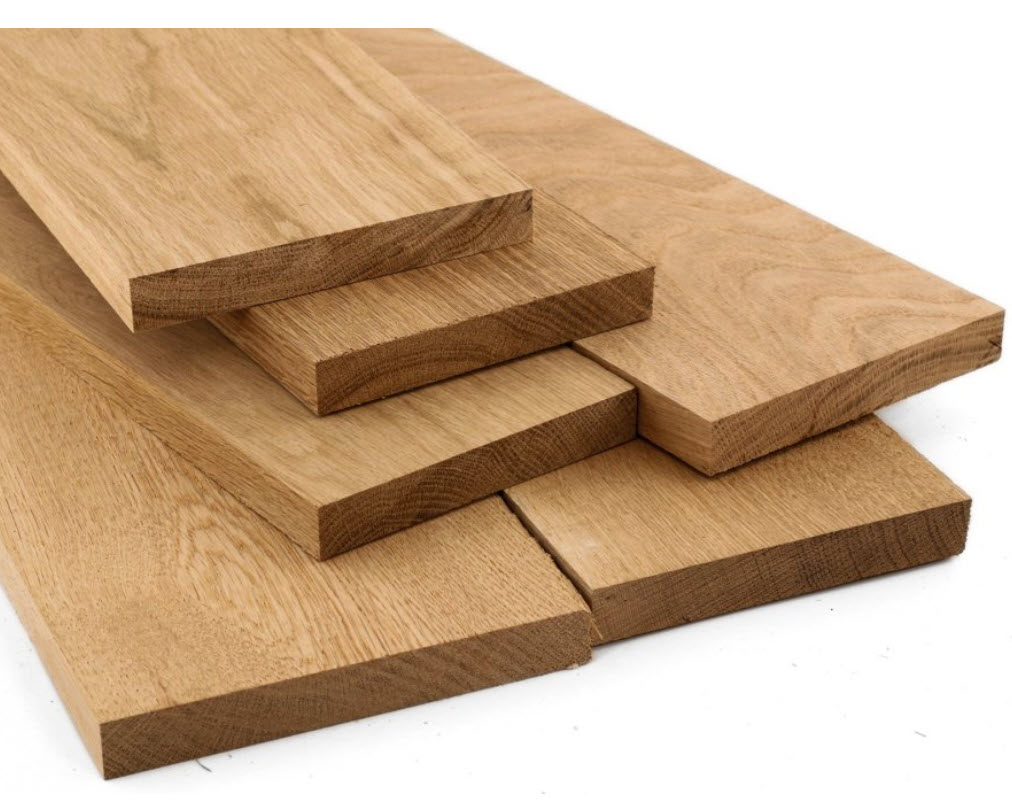
Creating a virtual 3D board can be an exciting and new way to showcase your woodworking designs. By utilizing  software, you can bring your creations to life in a virtual environment. To start, you will need specialized 3D woodworking design software that allows you to create and manipulate objects in a three-dimensional space. There are various options available in the market, so it’s important to choose one that suits your needs and level of expertise. Once you have the software installed, you can begin designing your virtual board by selecting the appropriate dimensions and materials.


  • Ease of use,
  • speed of design,
  • and simple ways to change the boards, their materials,
  • and their relationship with one another
  • dictate the degree of success you will have.

Next, you can start adding your woodworking designs to the virtual board. This can be done by shaping boards, drilling holes, applying contours to edges, and adding joinery using the software’s built-in tools. The software will allow you to position and rotate the objects on the board, giving you a clear visual picture. This shows they will look in real life. You can experiment with different layouts and configurations.  Then adjust the size and position of each object until satisfied with the overall design.

This link opens several posts about virtual board in SketchList 3D for your information.

Categories
Blog Uncategorized Version 5

Door Design Overview

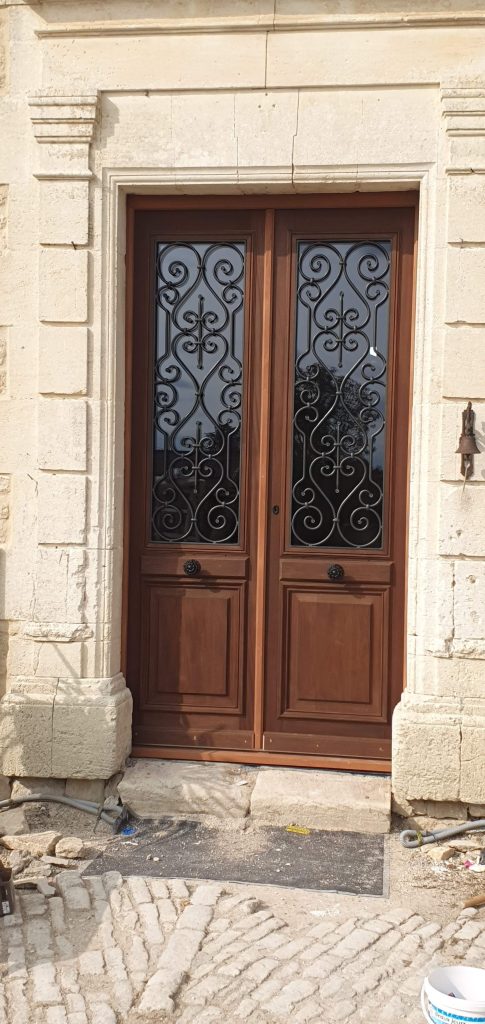
image of double doors

Door Design is a Critical Function

In this article, we will explore the art of designing doors and how they can transform your living space. Whether you are searching for a traditional, modern, or minimalist design, we have got you covered.

Our team of expert designers and craftsmen has mastered the art of creating doors that are not only visually appealing but also durable and long-lasting. We understand the importance of selecting the right materials, finishes, and hardware to ensure that your door meets your unique style and functional needs.

From front doors that make a bold statement to interior doors that seamlessly blend with your home decor, we will guide you through the entire design process. You will gain insights into the latest trends, innovative features, and cutting-edge technologies that are revolutionizing the door industry.

Get ready to be inspired as we take you on a journey to discover the endless possibilities of designing doors that truly reflect your personality and elevate the overall ambiance of your home. Let the transformation begin!

The Importance of Door Design

When it comes to home design, doors often play a crucial role. They are not just an entry point but also a reflection of your personal style and taste. A well-designed door can enhance the overall curb appeal of your home and create a welcoming atmosphere for your guests.

In addition to aesthetics, door design also plays a significant role in the functionality and security of your home. The right design can ensure proper insulation, noise reduction, and protection against the elements. It can also act as a deterrent against potential intruders, providing you with peace of mind.

The design of your door can also impact the overall flow and layout of your living space. A well-placed door can create a seamless transition between rooms, while a poorly designed door can disrupt the natural flow and make your home feel disjointed.

Considering the importance of door design, it’s essential to pay attention to every aspect, from the style and material to the finishes and hardware. By carefully designing your doors, you can create a harmonious and functional living space that truly reflects your individuality.

Factors to Consider in Door Design

When designing a door, there are several factors that you need to consider to ensure that it meets your specific requirements. These factors include:

  1. Styl: The style of your door should align with the overall design theme of your home. Whether you prefer a classic, contemporary, or minimalist look, there are numerous door styles to choose from.
  2. Functionality Consider the purpose of the door. Is it an exterior door that needs to provide security and insulation? Or is it an interior door that needs to create privacy and noise reduction? Understanding the primary function of the door will help you select the right design and features.
  3. Size The size of the door should be proportionate to the surrounding architecture and the space it occupies. A well-sized door creates a balanced and aesthetically pleasing look.
  4. Material Different materials offer different benefits in terms of durability, insulation, and aesthetics. Common door materials include wood, fiberglass, steel, and glass. Each material has its own unique characteristics, so choose one that suits your needs and preferences.
  5. Finishes and Hardware The finishes and hardware of a door can significantly impact its overall appearance. From decorative handles and hinges to paint or stain finishes, these details can add a touch of elegance and personality to your door design.

By considering these factors, you can ensure that your door design not only looks great but also functions seamlessly within your home.

Popular Door Design Styles

When it comes to door design, there is a wide range of styles to choose from. Here are some popular door design styles to consider:

  1. Traditional: Traditional doors are characterized by their timeless and classic design. They often feature intricate details, such as paneling, moldings, and decorative glass inserts. These doors are perfect for homes with a traditional or vintage aesthetic.
  2. Modern: Modern doors are sleek, minimalist, and often feature clean lines and simple designs. They typically have smooth surfaces and may incorporate glass panels or metal accents. Modern doors are ideal for contemporary and minimalist homes.
  3. Craftsman: Craftsman doors are known for their craftsmanship and natural materials. They often have a sturdy and solid construction with decorative elements, such as sidelights or transoms. Craftsman doors are a popular choice for bungalow-style and Craftsman-style homes.
  4. Contemporary: Contemporary doors are versatile and can be customized to fit various design styles. They often feature bold and unique designs, such as geometric shapes or asymmetrical patterns. Contemporary doors are ideal for homeowners who want to make a statement with their door design.
  5. Rustic: Rustic doors are characterized by their natural and weathered appearance. They often have a distressed or reclaimed wood finish, giving them a warm and inviting look. Rustic doors are perfect for homes with a farmhouse or cottage-style aesthetic.

Choosing the right door design style is essential to create a cohesive and harmonious look throughout your home. Consider the architectural style, interior design, and personal preferences when selecting a style that suits your taste.

Choosing the Right Material for Your Door Design

The material you choose for your door can have a significant impact on its durability, aesthetics, and performance. Here are some common door materials and their characteristics:

  1. Wood

    Wood is a classic and timeless material for doors. It offers natural beauty, warmth, and a wide range of design options. Wood doors can be customized with different finishes, stains, and paint colors. They provide excellent insulation and soundproofing but may require regular maintenance to protect against weathering.

  2. Fiberglass

    Fiberglass doors are known for their durability and low maintenance. They can mimic the look of wood and are available in various designs and finishes. Fiberglass doors are resistant to warping, rotting, and insects. They offer good insulation and energy efficiency, making them a popular choice for exterior doors.

  3. Steel: Steel doors are highly secure and offer excellent protection against intruders. They are durable, low maintenance, and resistant to warping and cracking. Steel doors can be painted in various colors and finishes. However, they may not provide the same level of insulation as wood or fiberglass doors.
  4. Glass: Glass doors are an excellent choice for homeowners who want to maximize natural light and create a seamless connection between indoor and outdoor spaces. They are available in different styles, such as sliding, French, or pivot doors. Glass doors can be energy-efficient and offer a modern and elegant aesthetic. However, privacy and security may be a concern, so consider using frosted or textured glass.

When selecting the material for your door, consider factors such as durability, maintenance, insulation, security, and aesthetic appeal. Choose a material that aligns with your needs, budget, and design preferences.

Enhancing Security with Door Design

In addition to aesthetics, the design of your door can play a crucial role in enhancing the security of your home. Here are some design features that can improve the security of your door:

  1. Solid Construction: Opt for a door with a solid core or solid construction. Solid doors are more resistant to forced entry compared to hollow doors.
  2. Reinforced Frames: Ensure that the door frame is reinforced with materials such as steel or metal plates to prevent tampering or forced entry.
  3. Deadbolt Locks: Install high-quality deadbolt locks on your doors. These locks provide an additional layer of security and are more resistant to picking or tampering.
  4. Security Glass: If you have glass panels on your door, opt for security glass that is more resistant to break-ins. Laminated or tempered glass can prevent intruders from easily breaking the glass and gaining access to your home.
  5. Peepholes and Security Cameras: Install a peephole on your front door to see who is outside before opening the door. Consider adding security cameras or a video doorbell for added surveillance and peace of mind.

By incorporating these security features into your door design, you can create a secure and safe environment for you and your family.

Door Design Trends

The world of door design is constantly evolving, with new trends emerging each year. Here are some of the latest door design trends that you might consider:

  1. Minimalist Designs: Minimalist designs are gaining popularity, with homeowners opting for clean lines, simple shapes, and monochromatic finishes. These designs create a sleek and contemporary look.
  2. Bold Colors: Instead of traditional wood finishes, more homeowners are choosing bold and vibrant colors for their doors. Colors like deep red, navy blue, or bright yellow can make a statement and add visual interest to your home’s exterior.
  3. Mixed Materials: Mixing different materials, such as wood and glass or metal and wood, can create a unique and eye-catching door design. This trend allows for creativity and customization.
  4. Smart Door Technology: With the rise of smart homes, doors equipped with technology are becoming more popular. Smart locks, video doorbells, and touch-less entry systems are just a few examples of door technology that can enhance convenience and security.
  5. Sustainable Materials: As eco-consciousness grows, more homeowners are opting for sustainable and environmentally friendly door materials. Reclaimed wood, bamboo, or doors made from recycled materials are becoming popular choices.

These trends can give you inspiration and ideas for designing a door that is both stylish and up-to-date with the latest design movements.

Customizing Your Design

One of the advantages of designing your own door is the ability to customize it according to your preferences. Here are some ways you can personalize your door design:

  1. Decorative Glass: Add decorative glass inserts or panels to your door to create a unique and elegant look. You can choose from various patterns, textures, and colors.
  2. Custom Carvings or Engravings: Consider adding custom carvings or engravings to your door to showcase your personal style or reflect the architectural elements of your home. These details can add a touch of sophistication and craftsmanship to your door design.
  3. Hardware Selection: The hardware you choose, such as handles, hinges, and doorknobs, can significantly impact the overall look and feel of your door. Choose hardware that complements your door design and adds a finishing touch.
  4. Paint or Stain Finishes: Customizing the finish of your door can make a significant difference in its appearance. Whether you prefer a natural wood finish, a bold color, or a distressed look, the right finish can enhance the overall aesthetic of your door.

By customizing your door design, you can create a one-of-a-kind piece that reflects your personality and style.

Eco-Friendly Options

If you are passionate about sustainability and reducing your environmental impact, there are several eco-friendly door design options to consider:

  1. Reclaimed Wood: Reclaimed wood doors are made from salvaged or repurposed wood, reducing the need for new materials. These doors have a unique and rustic charm and are an excellent choice for  homeowners.
  2. Bamboo: Bamboo is a renewable and fast-growing material that is becoming increasingly popular in door design. It is durable, lightweight, and offers a natural and contemporary look.
  3. Recycled Materials: Doors made from recycled materials, such as aluminum or composite materials, are an eco-friendly choice. These materials reduce waste and can be recycled again at the end of their lifespan.
  4. Energy-Efficient Glass: If you have glass panels on your door, choose energy-efficient glass that can help reduce heat loss or gain. Double or triple-glazed glass with glare coatings can improve insulation and energy efficiency.

By opting for eco-friendly door design options, you can contribute to a more sustainable future while still enjoying a beautifully designed door.

Maintaining and Caring for Your Door

To ensure that your door design stays in top condition and retains its beauty for years to come, it is essential to follow proper maintenance and care practices. Here are some tips:

  1. Regular Cleaning: Clean your door regularly using a mild soap and water solution. Avoid using harsh chemicals or abrasive cleaners that can damage the finish or materials.
  2. Inspect and Repair: Regularly inspect your door for any signs of wear, damage, or deterioration. Address any issues promptly to prevent further damage and maintain the door’s functionality.
  3. Refinishing or Repainting: Over time, the finish or paint on your door may fade or chip. Consider refinishing or repainting the door to restore its appearance and protect it from the elements.
  4. Weatherstripping and Sealing: Check the weatherstripping and seals around your door regularly. Replace any worn-out or damaged weatherstripping to ensure proper insulation and energy efficiency.
  5. Lubrication: Lubricate the hinges, locks, and other moving parts of your door to ensure smooth operation. Use a suitable lubricant recommended by the manufacturer.

By following these maintenance practices, you can extend the lifespan of your door design and keep it looking as good as new.

Conclusion

Designing doors is an art that requires careful consideration of various factors, from style and materials to security and functionality. With the right door design, you can transform your living space, enhance your home’s aesthetics, and create a welcoming atmosphere.

Whether you prefer a traditional, modern, or minimalist design, there are endless possibilities to explore. By understanding the importance of door design and considering factors such as style, materials, security, and customization options, you can create a door that truly reflects your personality and elevates the overall ambiance of your home.

Stay up-to-date with the latest door design trends and options to ensure that your door is not only visually appealing but also sustainable. Remember to follow proper maintenance and care practices to keep your door design looking beautiful for years to come.

So, if you’re ready to embark on a journey of designing doors that go beyond function and become a piece of art, our team of expert designers and craftsmen is here to guide you through the process. Let your imagination run wild and let your door be a reflection of your unique style and taste. Designing doors has never been more exciting!  To see more of how SketchList can help

If you want to see a video or door design click this.

For more information click here.

Video click here.

Categories
Uncategorized

Cutlist Optimizer Makes the Most of Your Materials

Culist optimizer produces orderly outputs


In the world of woodworking, a cutlist optimizer feeds into our desire for frugality. Maximizing savings through efficient material usage is a skill that every woodworker should master. Whether you’re working with sheet goods or solid woods, there are distinct strategies to make the most of your materials. In this article, we will explore the art of efficient woodworking and how you can optimize material layout for perfect projects; especially when using 3D woodworking design software that automatically creates cut lists and layout diagrams while you design.

Sheet Goods: Size Defines Design

When working with sheet goods, such as plywood and MDF, the standard size is 48×96 inches. However, there are exceptions like medium-density fiberboard (MDF), which is usually 1 inch longer in each dimension to account for saw kerfs. Baltic birch plywood often comes in 60×60 inch sheets. Knowing these sizes can help you plan your project more effectively.

To save money and reduce waste, start by creating a cutting diagram. Whether you sketch it on paper, model it on a computer, or create scale mock-ups, a cutting diagram allows you to optimize the use of your sheet goods. Begin by laying out the largest pieces and then fill in with smaller ones, grouping pieces of similar sizes whenever possible. This minimizes the number of cuts needed and maximizes your material yield.

Another way to stretch your sheets is by reevaluating your design. Can you alter part dimensions to eliminate the need for an extra sheet? For example, replacing a cabinet’s toekick with a hardwood base can save you money and increase material efficiency. By making these small adjustments, you can significantly reduce waste and cut down on costs.

Thriftiness and sneakiness can go hand in hand when it comes to efficient material usage. Consider using inexpensive plywood for furniture parts that will rarely be seen, reserving the more expensive hardwood plywood for visible areas. By strategically hiding cheaper materials, you can achieve significant savings without compromising the overall quality of your project.

Solid Woods: No Two Boards Alike

Unlike sheet goods, solid woods come in irregular sizes, and maximizing material usage becomes a matter of working around variations, blemishes, and warped wood. To make the most of your solid woods, follow these tips:

When shopping for solid woods, focus on finding boards that are good matches for your project parts rather than trying to find a single board that fits all your needs perfectly. Look for consistent coloring and grain patterns for each individual part. While it may seem counterintuitive, buying more wood than your plans call for can actually save you money in the long run. Using the remaining wood for secondary project parts or shop jigs eliminates the need to purchase additional materials.

Don’t be too quick to reject boards with defects. Sometimes, a simple board flip or careful machining can hide blemishes like sapwood or knots. By flattening the good face and planing away imperfections on the opposite face, you can salvage a board that would have otherwise been discarded.  In this case it maybe difficult to use a cutlit optimizer to save materials,

When working with solid wood, it’s important to embrace the natural variations and imperfections. Instead of aiming for flawlessness, strategically place voids, sapwood, live edges, and knots to enhance the aesthetics of your project. By embracing these characteristics, you can transform your furniture from ordinary to extraordinary.

Planning for Efficiency

Efficient material usage starts with careful planning. Before you even begin cutting or shaping your wood, take the time to create a detailed project plan. A well-thought-out plan not only ensures that you have all the necessary materials but also helps you optimize their usage.

Start by making a list of all the parts and components needed for your project. This will give you a clear idea of the quantities and sizes of materials required. With this information in hand, you can then create a cutting list or diagram that shows the most efficient way to cut your materials to minimize waste.

Consider the layout of your parts on the wood carefully. Try to group similar parts together to minimize the number of cuts required. This can be particularly important when working with expensive or limited materials. By using the cutlist optimizer for the layout of your parts, you can reduce waste and make the most of your materials.

Tools for Efficient Material Usage

In addition to careful planning, there are several tools and techniques that can help you optimize material usage in your woodworking projects. Let’s explore some of these tools and how they can contribute to efficient material layout.

Cutting Jigs and Templates

Cutting jigs and templates are invaluable tools when it comes to efficient material usage. These tools allow you to replicate shapes and patterns accurately, eliminating the need for trial and error. By using cutting jigs and templates, you can save time and reduce material waste.

CNC Machines

Computer Numerical Control (CNC) machines are becoming increasingly popular in the woodworking industry. These machines use computer-controlled routers or mills to cut and shape wood with incredible precision. By programming the machine to optimize material usage, often depending on the cutlist optimizer, you can significantly reduce waste and increase efficiency.

SketchList3Ds optimizer interfaces with CNC software.

Hand Planes

Hand planes are versatile tools that can be used for shaping, smoothing, and leveling wood surfaces. When used correctly, hand planes can help you remove imperfections and maximize the use of your materials. By carefully planning your cuts and using hand planes to refine your work, you can achieve efficient material usage.

Tips for Efficient Material Usage

In addition to the tools mentioned above, there are several tips and techniques you can employ to ensure efficient material usage in your woodworking projects

Consider the following:

Organize Your Workshop

A well-organized workshop can significantly contribute to efficient material usage. By having a designated area for storing and categorizing your materials, you can easily locate the wood you need for each project. This prevents unnecessary purchases and reduces waste.

Use Offcuts Wisely

Offcuts, or leftover pieces of wood, can be valuable in future projects. Instead of discarding them, save your offcuts and organize them by size and type. This way, you’ll have a readily available supply of materials for smaller projects or components.

Consider Joinery Techniques

Choosing the right effective woodworking joinery technique can also impact material usage. Some joinery methods, such as dovetail joints or mortise and tenon joints, require more material than others. By selecting joinery techniques that are suitable for your project and minimize waste, you can optimize material usage. Your cutlist optimizer should handle the effects of joinery.

Embrace Natural Imperfections

As mentioned earlier, embracing natural imperfections can add character to your woodworking projects. Instead of discarding wood with knots or irregular grain patterns, find creative ways to incorporate them into your designs. This not only reduces waste but also adds unique beauty to your finished pieces.

Conclusion

Efficient material usage is an art that every woodworker should strive to master. By carefully planning your workshop projects, using the right tools and techniques, and embracing the natural characteristics of your materials, you can optimize material layout and minimize waste. The art of efficient woodworking not only saves you money but also allows you to create truly exceptional projects. So, next time you embark on a woodworking adventure, remember to make the most of your materials with some consideration of a cutlist optimizer.

As a reminder SketchList 3D’s integrated reporting [Pro version] includes a cut list, shop drawings, and images and reports for optimized material layout.

To learn more see this post from Fine Woodworking

Categories
Uncategorized

SketchList 3D Features Advanced Modern Cut List Software

Introduction to Cut Lists

As a seasoned woodworker, I’ve come to appreciate the importance of planning and organization in my projects. One tool that has become an integral part of my woodworking arsenal is the cut list. In essence, it is a comprehensive index detailing all the parts required for a project, including their dimensions, material, and quantity.

Think of a cut list as a roadmap for your project.

It guides you on what to cut, how many to cut, and the dimensions of each cut. By detailing all the parts needed for a project, cut lists effectively eliminate guesswork, ensuring you have all the necessary materials before starting your work.

Furthermore, they also help in reducing waste by ensuring that you only cut what you need. Cut lists are not only limited to woodworking. They can be used in various fields, including construction, where they detail the materials needed for a building project. Regardless of the field, the fundamental principles remain the same: it is a blueprint for your project, guiding you on what you need to do and when.

Understanding the Importance of Accurate Cut Lists

Accurate cut lists are crucial for several reasons.

First and foremost, they help in saving time. With a precise list, you don’t have to go back and forth trying to figure out what you need. You have all the information at your fingertips. This leads to increased efficiency and productivity since you can focus on the actual task of building, rather than worrying about what you need.

Secondly, accurate cut lists help in minimizing waste. By knowing exactly what you need, you can cut only what is necessary, thus reducing the amount of material wasted. This not only saves you money but also contributes to environmental conservation. Lastly, accurate lists are crucial for quality assurance. By detailing the exact dimensions of each piece, lists ensure that each part fits perfectly, thus guaranteeing the quality of the final product.

The Role of Cut Lists in Streamlined Operations

In my years of woodworking, I’ve come to understand the role of cut lists in streamlining operations. Essentially, they serve as a guide for the entire project, detailing what needs to be done and when. This results in a streamlined workflow, where each task is clearly defined, and the probability of missing a step is significantly reduced. Moreover, these lists play a vital role in inventory management. By detailing the exact quantity of each material needed, they allow you to keep track of your inventory, ensuring you don’t run out of supplies mid-project. Lastly, cut lists are instrumental in team coordination. For large projects that require a team, lists ensure that everyone is on the same page, thus promoting synergy and harmonious working relations.

Programs for Accurate Take Offs and Cut Lists

The importance of accurate cut lists cannot be overstated.

Luckily, there are several programs available that can help in generating precise lists. Some of these include SketchList 3D, CutList Plus, and Cabinet Vision, among others. These programs are designed to make the process of creating lists as simple as possible. They allow you to input the dimensions of your project, and they automatically generate a cut list for you. Additionally, these programs also offer features such as material optimization, which helps in minimizing waste.

Exploring SketchList 3D: A Tool for Generating Cut Lists

One program that I’ve found particularly useful in generating cut lists is SketchList 3D. This software is designed specifically for woodworking and allows you to design your project in a 3D environment. One of the standout features of SketchList 3D is its ability to automatically generate cut lists based on your design. This eliminates the need for manual calculations, thus saving you time and minimizing the risk of errors. Moreover, SketchList 3D also offers material optimization features, ensuring that you make the most out of your materials. The software automatically calculates the most efficient way to cut your material, thus reducing waste and saving you money.

Can You Get Cut Lists from SketchUp? A Detailed Overview

Another tool that woodworkers often ask about is SketchUp. Indeed, SketchUp is a powerful tool for designing projects, but can you get cut lists from it? The answer is yes. SketchUp has a plugin known as CutList Bridge, which can generate lists based on your SketchUp model. This plugin not only provides a detailed cut list but also offers material optimization features, just like SketchList 3D. However, it’s important to note that while SketchUp is a powerful tool, it requires a certain level of expertise to use effectively. Therefore, if you’re new to woodworking, you might find SketchList 3D easier to use.

Does Home Depot do Cut Lists? A Comprehensive Guide

If you’re wondering whether Home Depot does cut lists, the answer is yes. Home Depot offers a service known as Pro Desk, where professionals can assist you in creating a list for your project. The process is simple: you provide the details of your project, and Pro Desk will generate a list for you. Additionally, they can also help you in choosing the right materials for your project. However, it’s important to note that while Home Depot’s Pro Desk is a valuable resource, it’s not a substitute for a dedicated cut list program. For complex projects that require detailed planning, you’re better off using a program like SketchList 3D or SketchUp.

How to Effectively Use Cut Lists for Your Projects

Using cut lists effectively is a skill that comes with practice. However, there are a few tips that can help you get started. First, always double-check your measurements. An error in the measurements can lead to inaccuracies in the list, which can derail your entire project. Secondly, always factor in the kerf – the width of the cut made by the saw. This might seem insignificant, but it can add up over several cuts, leading to inaccuracies. Lastly, always consider the grain direction, especially when working with wood. The grain direction can significantly affect the appearance of the final product, so it’s important to factor it in when creating your cut list.

Tips for Creating and Managing Cut Lists

Creating and managing cut lists can be a daunting task, especially for beginners. However, with a few tips, the process can be much simpler. First, always organize your list in a logical manner. Group similar items together and arrange them in the order they’ll be cut. This will make it easier for you to find what you need when you need it. Secondly, always update your list as you go. If you make changes to your project, ensure that these changes are reflected in your list. This will ensure that you always have an accurate reference for your project. Lastly, consider using a cut list program. As I’ve mentioned earlier, these programs can significantly simplify the process of creating and managing lists, thus saving you time and reducing the risk of errors. #

Conclusion: Demystifying Cut Lists for Improved Operations

In conclusion, cut lists are an essential tool for any builder or woodworker. They not only save time and reduce waste but also ensure the quality of the final product. By understanding how to create and manage these lists, you can streamline your operations, thus enhancing your productivity and efficiency. While the process might seem daunting at first, with practice and the right tools, it becomes much simpler. So whether you’re a seasoned woodworker or a beginner, I hope this article has helped in demystifying cut lists for you. Happy building!