Categories
Uncategorized

Modern Woodworking Software with Advanced Slant Board Feature

Modern Woodworking Software with Advanced Slant Board Feature

Take your woodworking business or hobby to the next level with SketchList 3D software’s slant board feature. Generate realistic 3D models with accurate measurements, adjustable angels, and calculated material requirements. 

In the realm of carpentry, modern woodworking software has established itself as a revolutionary tool, transforming the way the industry operates. This software has made it possible for woodworkers to design, plan, and execute projects with a level of precision and efficiency that was unimaginable in the past. The incorporation of advanced features, such as the slant board, in these software solutions has significantly enhanced their functionality, making them indispensable for both hobbyists and professionals.

With woodworking software, we’ve seen the elimination of the manual, error-prone methods of drafting and design. Instead, we now have digital platforms that provide accurate measurements, realistic simulations, and a myriad of design options at our fingertips. Software has streamlined the process of woodworking, making it more accessible for beginners and more efficient for seasoned professionals.

Modern woodworking software not only simplifies the design process but also aids in the execution of the project. It provides detailed cut lists, material estimates, and step-by-step instructions, which minimize wastage and maximize productivity. One of the prominent features that greatly contribute to these benefits is the slant board.

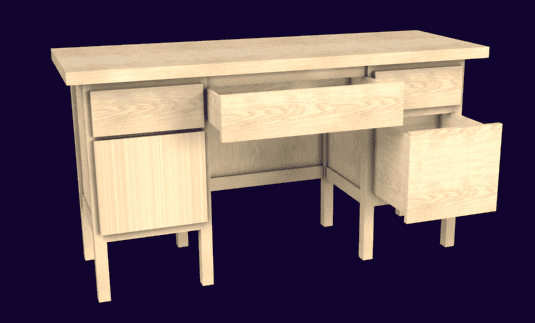
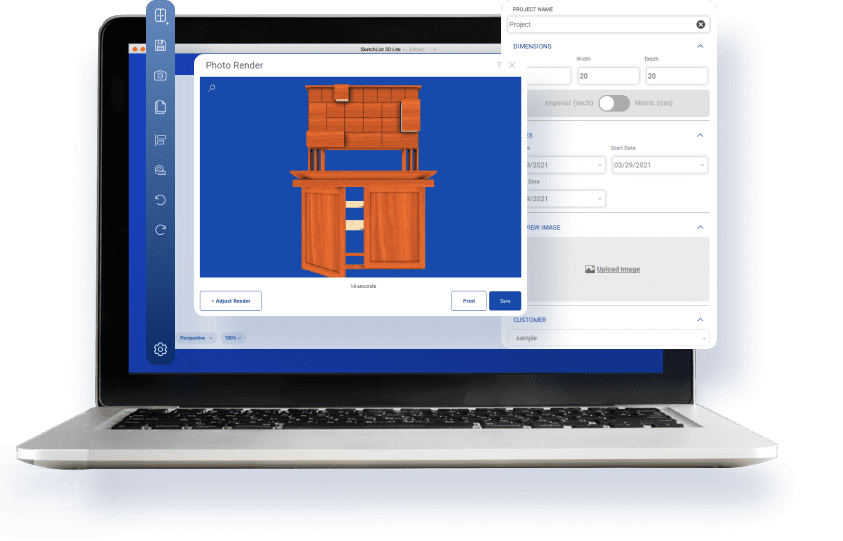
image of angled tableUnderstanding the Slant Board Feature

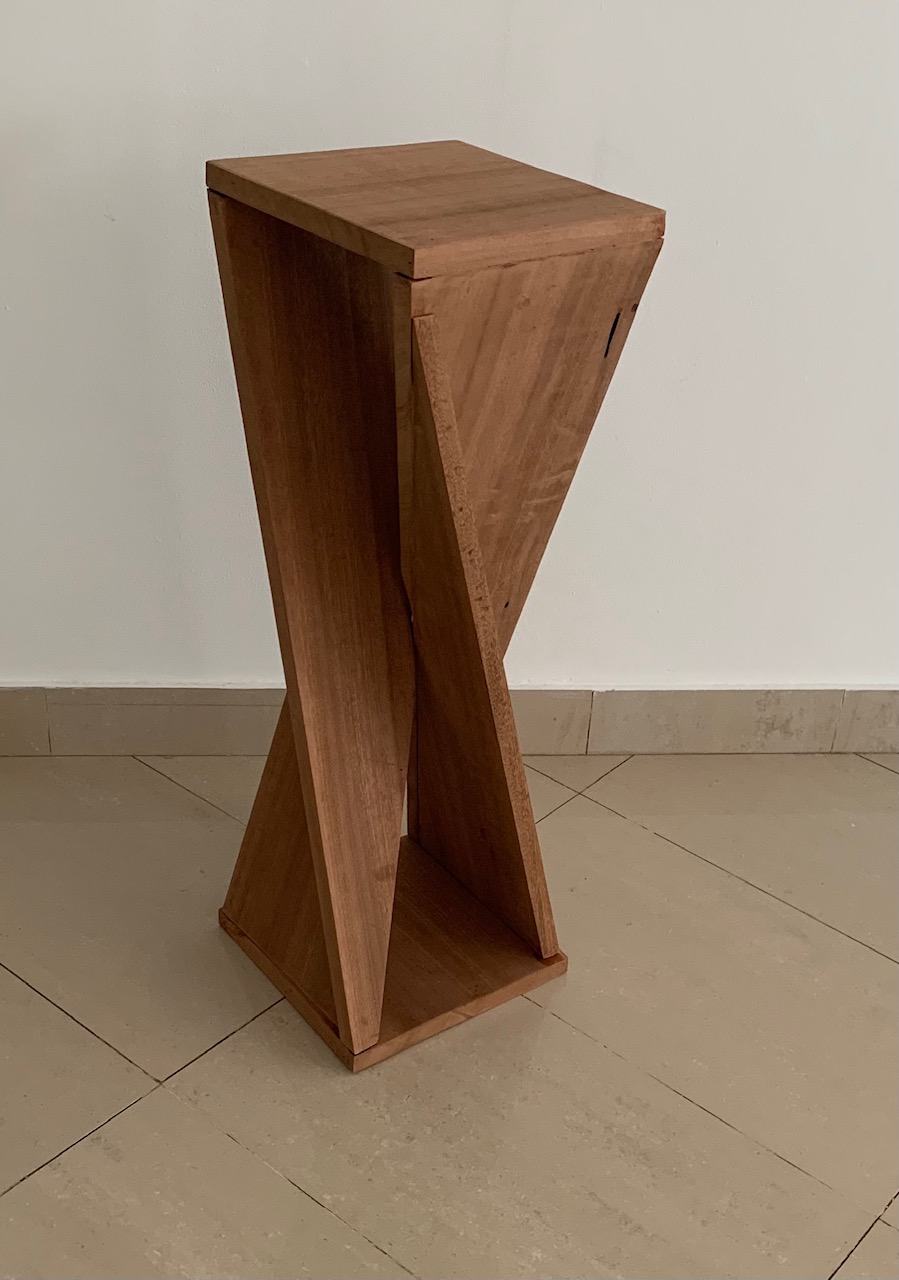
The slant board feature is a design tool that allows users to create and manipulate slanted or inclined surfaces in their woodworking designs. This feature is incredibly useful for creating unique, custom pieces with angled components, like sloped bookshelves, inclined desks, or slanted roof structures.

The flexibility of this tool allows woodworkers to experiment with different angles and perspectives. By simply inputting the desired angle, the software generates a precise 3D model, which can be viewed from different angles and modified as needed. This level of control is what sets modern woodworking software apart from traditional methods.

Moreover, the slant board feature also considers the practical aspects of woodworking. It calculates the material requirements and provides cut lists based on the slant design, ensuring that the final product is not only aesthetically pleasing but also structurally sound and practical.

The Role of the Slant Board in Rockler Woodworking

Rockler woodworking, a trusted name in the woodworking industry, has been significantly influenced by the slant board feature. Its integration into their software has dramatically improved the quality and variety of their products and has also streamlined their manufacturing process.

In Rockler woodworking, the slant board is often used to design furniture pieces with a contemporary twist. It allows the designers to step away from the conventional flat-surface designs and experiment with unique, slanting structures. This has resulted in a range of innovative products that stand out in the market.

Benefits of Using the Slant Board Feature in Woodworking Projects

The slant board brings a plethora of benefits to woodworking projects. Firstly, it provides a way to bring innovation and creativity to the designs. With this feature, woodworkers can break away from the monotony of flat surfaces and straight angles, and create unique, eye-catching pieces.

Secondly, the slant board feature ensures precision and accuracy in the woodworking projects. By providing exact measurements and angles, it eliminates the risk of errors that are common in manual drafting. This results in a final product that is perfectly aligned and aesthetically pleasing.

Lastly, this feature is a great tool for efficient project management. It provides a detailed overview of the material requirements and cut lists, which helps in planning and executing the project seamlessly. This not only saves time but also reduces wastage, making the project more cost-effective.

sl_product_workHow to Effectively Use the Slant Board Feature

To effectively use the slant board feature, it’s essential to have a clear understanding of the design requirements. Begin by sketching the basic design and identifying the areas where the slant is required. Next, input these requirements into the software and let it generate a 3D model. This model can be viewed from different perspectives and modified as needed.

Once the design is finalized, the software will provide a detailed cut list and material estimate. This is a crucial step as it ensures that the project is executed accurately and efficiently. Finally, follow the instructions provided by the software to assemble the piece. Remember to double-check the measurements and angles for a perfect finish.

Expert Advice: Tips for Maximizing the Slant Board Feature

To maximize the benefits of the slant board feature, experts recommend the following tips:

  1. Always start with a clear plan. The slant board is a powerful tool, but it’s only as good as the design it’s based on.
  2. Don’t be afraid to experiment. The slant board opens a world of possibilities for creative design. Take advantage of this by exploring different angles and perspectives.
  3. Double-check the measurements. Even with the precision of the slant board feature, it’s always a good idea to double-check the measurements and angles before starting the project.

sl_product_reportsComparing Woodworking Software: Focus on the Slant Board Feature

When comparing different woodworking software, the presence and functionality of the slant board feature should be a key consideration. Some software offers a basic version of this feature, allowing for simple slant designs. However, more advanced software provides a comprehensive slant board with options for complex, multi-angle designs.

It’s also important to consider the user-friendliness of the software. A good software should have an intuitive interface, easy-to-understand instructions, and robust customer support. Lastly, consider the cost of the software. While free software might be enticing, they often lack advanced features like the slant board. Investing in a paid software can provide a more comprehensive and efficient solution.

Conclusion: The Undeniable Impact of the Slant Board Feature in Modern Woodworking Software

In conclusion, the slant board feature in modern woodworking software has had a profound impact on the woodworking industry. It has transformed the way we design and execute woodworking projects, bringing a level of precision, efficiency, and creativity that was previously unheard of. With the continued advancements in technology, the future of the slant board feature looks even more promising. Whether you are a hobbyist or a professional, embracing this feature can significantly enhance your woodworking journey.


Categories
Uncategorized

How to Increase Efficiency in Cabinet Production with Optimized Material Layouts and Cut Lists

 How to Increase Efficiency in Cabinet Production with Optimized Material Layouts and Cut Lists

Closet design

Is your cabinet production inefficient?

Cabinet production is no easy task. For a company to produce the number of cabinets needed to fulfill all orders on time, you must have a well-oiled machine. Cabinet design software is vital.

Many cabinet-producing companies do not optimize their processes to help them increase efficiency. Are you looking to improve your custom cabinet production process? One solution may be optimized material layouts and cut lists.

This guide will help you optimize your processes to produce cabinets more efficiently.

The Importance of Optimized Material Layouts

Optimizing material layouts is about creating an efficient process that saves time and money while minimizing waste. The key to effective material optimization is ensuring that parts are strategically arranged on the sheet. Ensure that every piece is accounted for and that there is no wasted space.

Doing this will reduce material waste, decrease the number of sheets required, and minimize errors or misplacements.

Optimizing material layouts often involves using advanced software solutions in the automation process. This woodworking design software provides detailed layouts and helps create designs. It does this while considering waste reduction, layout efficiency, and automation.

With optimized material layouts, you can quickly determine the layout of your cabinets to determine the number of sheets of wood required. The software will give you accurate material requirements, including hardware and finishing supplies, that you must  prepare in advance.

Creating Efficient Cut Lists

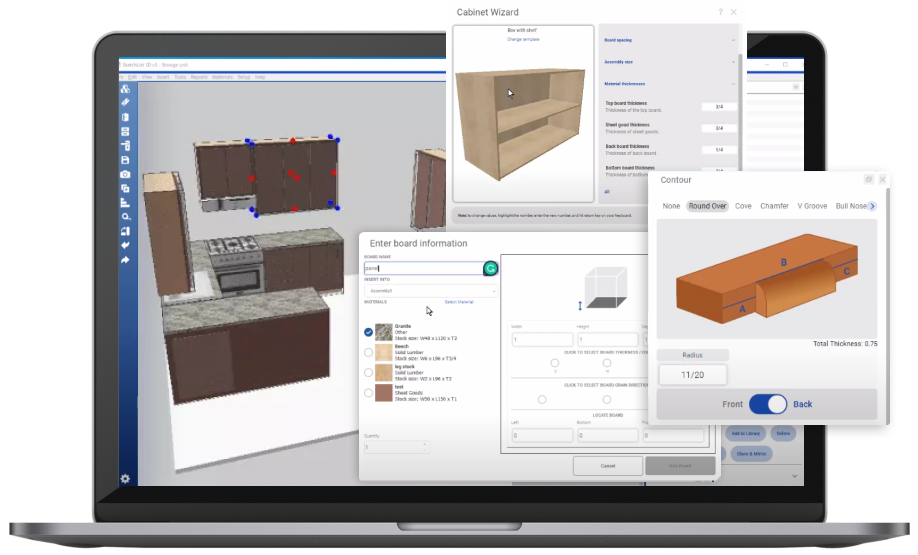
showing new board form for woodworking design

A cut list is a detailed inventory of all the parts that go into a project, typically including dimensions and quantity. Creating an accurate and efficient cut list ensures you are using the right amount of material without wasting any. This helps reduce the time spent cutting and keeping track of inventory.

To create a cut list, you need accurate measurements and detailing. This allows you to determine the number and size of components needed.

Cut lists are critical to the efficiency of your custom cabinet production process. They help your team keep an accurate inventory of materials and ensure they are used correctly.

You can also use software solutions to develop a cut list, reducing the time needed to determine the number and size of components needed. This way, you can ensure the proper allocation of materials and avoid the wastage of expensive resources.

Software Solutions

Automation has revolutionized the cabinet industry, and woodworking is no exception. The use of technology in optimizing material layouts and the creation of efficient cut lists have improved the productivity and quality of custom cabinet production.

Software solutions have revolutionized the way cabinet production is managed. To increase efficiency, cut lists and material layouts are optimizable with furniture design software. Cut lists can be quickly and accurately generated with specialized software. This allows for speedier production of cabinets that meet precise measurements and requirements.

Software can also optimize material layouts. This enables manufacturers to use proper amounts of material and optimize their inventory. By using software solutions, cabinet manufacturers can increase their efficiency. They can also reduce expenses, making a more productive and profitable business.

The availability of advanced 3D software for custom cabinets and woodworking designing makes the production process easier. With photo-like 3D images, shop drawings, cut lists, optimized layout diagrams, and a DXF file that we can use for CNC cutting, we can now streamline the process and increase efficiency significantly.

SketchList makes it easier to visualize components arranged on sheets. With this kind of software, you can easily move components around and adjust the placement to cut waste.

Accurate and efficient cut lists by CNC electronics automate cutting, further optimizing production. With software solutions for optimizing material layouts and cut lists, custom cabinet makers and woodworkers can save time and money.

Advantages of Reducing Waste

Using optimized cut lists and material layouts is one of the best ways to increase the efficiency of cabinet production and reduce waste. By optimizing the list and layout of all components used in the production process, you can use the production process and cost more efficiently and with minimal waste.

When the wood components, hardware, and other materials are laid out in the correct configuration, you can complete the process of cutting and assembly quickly. Furthermore, wasting fewer pieces of raw materials reduces costs. As a result, manufacturers can produce higher-quality products in a shorter period of time, providing overall cost savings.

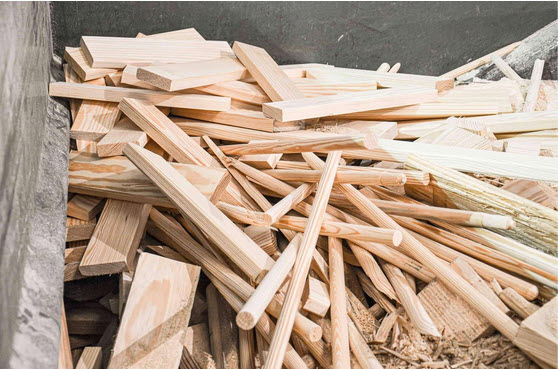
A pile of scrap hardwood pieces

Reducing waste helps to cut costs associated with raw material disposal. It also reduces the impact the production process has on the environment.

By optimizing material layouts and efficient cut lists, you can reduce waste. Reducing waste is not only environmentally friendly but also saves money and increases revenue. Inefficient use of materials can impact the budget of your projects and hinder profitability. Effective material optimization can help you save money by using fewer sheets and reducing your material costs.

Besides reducing material costs, optimizing material layouts and cut lists enhances customer satisfaction. Optimized designs ensure that components fit together and ensure the preciseness of each part, creating a superior final product. Minimizing waste also helps you reduce clean-up time and disposal costs. This frees up resources for other aspects of your operations.

Let SketchList 3D Help You Optimize Your Business

Optimized material layouts and cutting lists can improve the custom cabinet production process. Using advanced software solutions, custom cabinet makers and woodworkers can streamline production processes. They can also reduce material costs and increase revenue.

With SketchList 3D, you’ll have everything you need to create better woodworking designs. Our software has helped over 5,000 woodworkers just like you with everything from furniture design to custom cabinet production while improving efficiency and reducing waste. Whether you’re working with an independent client or a commercial property on office design, we’re here to help.

The best part is that you can try it today for free for 30 days! Sign up today and see why SketchList 3D is a trusted tool in the woodworking industry.


Categories
Uncategorized

Maximizing Your Woodworking Business Efficiency with SketchList 3D Furniture Plan Software

Maximizing Your Woodworking Business Efficiency with SketchList 3D Furniture Plan Software

Beautiful custom bedroom drawing gradation into photograph

The wood product manufacturing industry employs 425,000 people in the United States. Those in the industry are always looking for ways to improve efficiency and increase their bottom line.

When it comes to furniture plan software, SketchList 3D is the best choice for mobile design.

SketchList 3D allows you to create an amazing experience with compelling digital content all in one powerful package. Consider the following reasons why SketchList 3D is a smart investment.

Easy and Intuitive Interface

SketchList 3D furniture plan software is designed with an easy and intuitive user interface. It comes with a range of versatile tools, such as rulers and measurement assistants, to give the user precise data.

SketchList 3D offers:

  • Use of keyboard shapes and templates
  • Perfect synchronization
  • Import 3D sketches and images
Improved Precision

SketchList 3D furniture plan software delivers perfect precision and accurate measure marking, which is an essential part of custom design, especially in the cabinetry and furniture world.

  • One picometre measurements
  • Vast hardwood objects library for material selection
  • Components including turnings, furniture frames, angle configurations, and more
Accurate Image Rendering

cabinet design software visual

Dedicated woodworkers and carpenters around the world are turning to SketchList 3D software to leverage accurate image rendering. This software is created to optimize their workflows and maximize business efficiency by providing them with real-time professional CAD drawings.

Not only does it generate the required images in realistic 2D & 3D forms, but it also allows users to adjust the measurements and locations to make sure they are perfectly placed and fitted. Furthermore, the software provides the ability to generate material lists to save material costs and time.

All this adds up to more efficient, cost-effective, and accurate woodworking development, going from design to implementation faster.

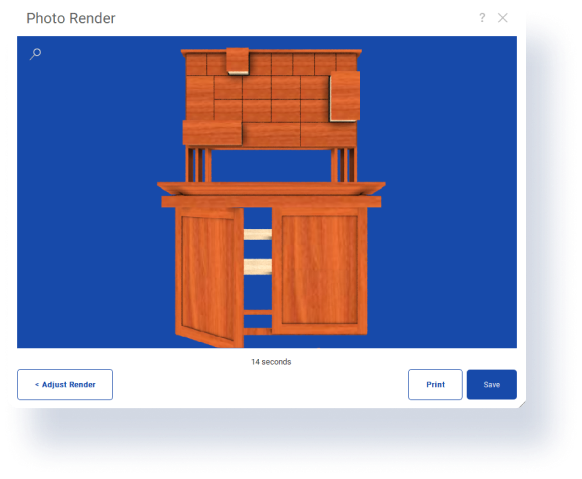
Creating photo-realistic images from SketchList 3D software that mirror the requirements of your intended product is incredibly vital to the designing process. SketchList 3D has the most accurate image rendering in the industry, allowing you to create a stunning finished product for your customers.

Easy Production Management

Maximizing the efficiency of a woodworking business is an important part of staying competitive and staying ahead of the competition. SketchList 3D woodworking software can help achieve this goal with easy production management.

It provides an easy-to-navigate workbench filled with tools for planning, cut-list generation, visualization, optimization, and step-by-step project routing. This easy-to-use furniture plan software package helps to plan projects faster and with fewer mistakes, lowering production costs and increasing efficiency.

Easy-to-use measurement tools make estimating material requirements and sizes simple and accurate. Tools for editing parts and components, cutlists, and material stock help the woodworker get more done in less time. With SketchList 3D software, woodworking companies can achieve greater efficiency and maximize production while keeping costs down.

The easy-to-use software package helps businesses streamline production and achieve higher levels of efficiency and accuracy.

SketchList 3D software is well-suited for better production consistency. The furniture plan software creates accurate and optimized cut lists with exceptional item refinement to give a non-glitch go-ahead to most productions.

  • Identifying essential statistics and parts numbering
  • Complete and optimized layouts for maximum material utilization
  • Simplified fabrication with high-quality renderings and optimized material layouts
Design Sharing

Design sharing is an essential aspect of business efficiency when it comes to the woodworking industry. SketchList 3D woodworking software allows you to easily store and share designs among other woodworking professionals.

woodworking traditional design apporach

This software allows for fast and easy design sharing to streamline your business operations. You can create detailed designs of cabinets, drawers, boxes, and much more with 3D cutting lists for each design to maximize your business’ efficiency. It also gives you access to full 3D rendering so you can easily assess the finished product’s look before you start the actual production process.

The sharing option allows you to quickly share designs with other woodworkers and lets you pick from an array of different thicknesses, sizes, and shapes when starting to create your pieces. Not only does SketchList 3D furniture plan software let you organize your designs with ease, but you will have the flexibility of designing something unique from the ground up when needed.

SketchList 3D software gives you an advantage over competitors when talking to clients. You’ll be able to show clients product samples from a vast gallery that SketchList 3D provides, and you’ll be able to customize these samples to meet your customer’s needs. Whether you’re an entrepreneur or a cabinetry business, the software helps you attract and retain clients.

You can also attract high-paying commercial clients as well thanks to the office design tool.

How SketchList 3D Can Improve Your Custom Woodworking Business

Perhaps the most important thing that you can do to improve any business is to streamline processes to save time and money.

SketchList 3D furniture plan software promotes streamlined processes and related functions. After the initial design has been placed with appropriate feedback management, each flow of input reflects a change observable to all other design stations or production teams.

SketchList 3D software also aids in predicting the surface finishes of your product. Any small mistake on which a particular product might turn down the wrong line due to human error can be revealed and ultimately handled remotely through simulation. You can also make changes with different computer mouse inputs that SketchList 3D can adapt to instead.

Try SketchList 3D Furniture Plan Software For Free For 30 Days

SketchList 3D software can help you maximize your woodworking business efficiency! This furniture plan software is easy to use, cost-effective, and makes design processes simple and fast. So don’t wait; give it a try today and start taking advantage of all it has to offer. Take control of your design and build processes today with SketchList 3D!

Sign up today for our free 30-day trial, and contact us with any questions you may have.

Categories
Uncategorized

Revolutionize Your Custom Designs with the Latest CAD for Woodworking Software

Revolutionize Your Custom Designs with the Latest CAD for Woodworking Software

Design and produce custom woodworking projects with the best CAD for woodworking available. Generate optimized material layouts, shop drawings, and cut lists to streamline production.

If you’re a custom cabinet maker, cabinet shop owner, furniture builder, or custom woodworker, you understand the importance of having efficient tools to streamline the designing process. That’s why it’s crucial to have the latest furniture and office design software at your disposal.

Americans spend over $350 billion on home renovations every year, which is why it’s important to save money and time as much as possible.

With the right software, you can easily create photo-like 3D images, generate optimized material layouts, shop drawings, and cut lists, ultimately resulting in a more accurate and streamlined production process.

Here are some of the ways that CAD for woodworking can help you revolutionize your custom woodworking design.

Custom Cabinet Design and Woodworking Software

Custom cabinet design and woodworking require precision and attention to detail. Mistakes in the measurements can lead to problems throughout the project. That’s where CAD for woodworking software comes in.

With custom cabinet design software, you can create a precise design that is based on accurate measurements. You can also use this software to create detailed 3D models of your design, allowing you to see the project from all angles. This feature is particularly useful for custom woodworking because it allows you to visualize your idea before the project begins.

Additionally, you can use 3D modeling to see how separate items come together. This helps create an accurate design with minimum waste.

Woodworking software is designed to cater to the specific needs of custom woodworking. It has features that cater to the designing of doors, drawers, and shelves, which are commonly used in custom woodworking projects. You can create templates and symbols that can be used across multiple projects, saving time in the long run.

Woodworking software enables custom woodworkers to focus on designing and creating unique pieces, while ensuring that everything is measured correctly.

Optimized Material Layouts

In woodworking, optimized material layouts are essential to saving time and money. With CAD for woodworking, you can easily create a list of optimized material layouts based on your project, reducing waste and production time.

The software can determine the most efficient use of materials and provide cost-cutting for designs that would need fewer materials. This not only saves you money but also reduces the environmental impact by reducing waste.

With the software, you can also determine the length, width, and thickness of each material you need to achieve an optimal layout design. This feature helps custom woodworkers to calculate the number of materials required more accurately, ultimately resulting in cost savings. Additionally, CAD for woodworking can automatically adjust the layout based on the material available, ensuring that nothing goes to waste.

Shop Drawings

Shop drawings are critical to the production process. They provide an accurate visual representation of the project, including measurements, materials, and cuts. With CAD for woodworking, you can create detailed, accurate diagrams and shop drawings that allow you to see the project from different angles.

CAD shop drawings allow you to easily break the design into parts to be more precise. With accurate details, you can provide precise cutting instructions that ensure successful outcomes. This is particularly important for large or complex projects that require a lot of time to get accurate measurements from. With CAD for woodworking, you can save time and resources without compromising the quality of work.

Cut Lists

Accurate cut lists are crucial to custom woodworking projects. With CAD for woodworking, you can generate precise cut lists that make production more efficient while reducing the potential for errors.

With cut lists, you can avoid waste by providing the exact measurements for the materials needed for each part of the project. Accurate measurements prevent the costly mistakes often associated with incorrect estimates of resources. Additionally, it enhances productivity by enabling you to create parts that can fit perfectly. With software that enables shop drawings, you can calculate exact lengths, cuts, and angles, which increases accuracy.

Revolutionize your custom woodworking design with the latest furniture and office design software. Not only will it result in a more accurate and efficient production process, but it will also save time and money along the way. Don’t be afraid to invest in the right tools for your trade.

Some Benefits of CAD for woodworking

CAD for woodworking has revolutionized custom woodworking design. It offers a cost-effective, efficient means of producing beautiful pieces that fit any style and surpasses the expectations of clients and customers. It also offers different benefits for custom woodworkers. Designers can work faster and smarter by creating 3D designs, rendering accurate images, and automatically creating templates that allow woodworkers to spend less time for perfecting their pieces.

The use of pre-made templates can nearly eliminate time consuming custom building. 60% of Americans don’t believe there’s enough time in the day to get everything done—so make time!

Additionally, the software allows for cutting plans and material calculations for enhanced accuracy and a more professional aesthetic. The software is also user-friendly and requires minimal programming or installation if used with modern computers.

CAD for woodworking is an invaluable tool for custom woodworking that makes producing great designs faster and easier to do.

CAD for Custom Woodworking

In conclusion, if you’re looking to streamline your woodworking design, invest in CAD for woodworking, and watch your production time, accuracy, and efficiency skyrocket. Don’t hesitate to take action today and invest in the best CAD for woodworking available to improve your woodworking business.

If you’re looking for custom woodworking help and software, don’t hesitate to contact us today. We’re happy to help you with your projects to achieve the best possible results.

Categories
Uncategorized

Custom Kitchen Cabinet Design Software: Benefits

In a survey of over 300 American business owners, 52% of respondents reported that “improving productivity and efficiency” was their biggest challenge for managing their workforce in the next year. Kitchen cabinet design software is one crucial tool that can help woodworkers optimize their time, materials, and workflows.

Certainly you know as a custom kitchen cabinet maker, cabinet shop owner, furniture builder, or custom woodworker, you know that delivering quality work efficiently is essential for your business’s success.

SketchList 3D can take your woodworking business to the next level by streamlining your design workflow. producing accurate 3D images, and creating optimized layout diagrams and cut lists for production. Namely, our easy-to-use custom woodworking software is tailored to your unique needs. Thus, it is simple to design the perfect projects for your clients every time.

Read on to learn more about how SketchList 3D can help you boost your woodworking business efficiency.

Streamline Your Design Process

The traditional design process for custom woodworking is time-consuming and prone to errors. SketchList 3D’s kitchen layout software & kitchen cabinet layout and design software eliminates the need for detailed blueprints or hand-drawn sketches.

SketchList 3D provides a user-friendly interface with drag-and-drop functionality, making it easy to create, modify, and visualize your designs. The software allows you to view 3D images of your design from any angle, ensuring you clearly understand the final product’s appearance. With measurements of each part of the design, you can ensure a perfect fit for your customers.


Example screenshot of a design in progress

Optimize Your Material Usage

SketchList 3D provides detailed cut lists, allowing you to determine the exact amount of materials needed for each project. You can add material costs to estimate project costs accurately, and the software enables you to resize your design and compare different cost and material usage scenarios. As a result, you can reduce waste and save money during production.

Increase Your Productivity

SketchList 3D’s cabinet design software can significantly improve your project turnaround times. You can use the software’s modifiable templates feature to adjust designs easily. Similarly, the software helps you identify parts you can reuse between projects, reducing design time and increasing productivity.

The software includes an automated positioning tool used to optimize your designs, minimizing the time to place new parts by suggesting position, angle, and orientation. It also allows you to create accurate and precise cut lists, This then reduces the need for manual calculations.

Elevate Your Design Game

SketchList 3D’s design tools allow for creating customizable designs in just a few clicks. The software offers a wide range of tools to create cabinet designs, and its 3D rendering functionalities provide realistic visualization that is consistent across the entire project. That way, you can add different materials, making every design accurately represent the real-life product.

With SketchList 3D, you can preview what the finished product will look like before manufacturing, impressing your customers with stunning images of their designs that boost their confidence and satisfaction.


Different feature windows to customize a customer's kitchen design rendering

Achieve Consistency in Your Work

SketchList 3D design software ensures consistency in your workflows and maintains high-quality design standards throughout your projects by automating your design process. So you can use rules to limit production errors and maintain specific standards.

Utilize Customized Cabinet Design Software

Every woodworking business has unique needs and requirements. SketchList 3D design software is tailored to meet those needs. The software can be customized to design pure furniture items, cabinets, intricate designs, and anything else your business needs.

The layout editor in the software allows you to create different shop drawings with part placement, assembly instructions, and special notes. The software is also compatible with DXF files, which makes it easy to use with CNC machines. You can customize the software to meet your requirements and preferences. That way you can make it uniquely yours and ensure you get the specific features and functionalities you need from your software.

Try SketchList 3D for Free

Investing in SketchList 3D’s cabinet design software can significantly boost your woodworking business efficiency. It can help you maximize your resources while increasing productivity.

With the software’s common-sense tools and features, you can streamline your design process.  Also you can optimize your material usage, create accurate cut lists and realistic 3D images. Thus you ensure consistency in your work, with flexibility to meet your distinct business requirements.

Are you ready to start raising the level of your woodworking business? If so, sign up for a free 30-day trial of SketchList 3D.


Categories
Uncategorized

Cabinet design and production for family workshops

I had the pleasure of working with a new custom woodworking company that was just starting to make a name for itself in the industry. The owners, a husband and wife team, are passionate about their craft and dedicated to delivering only the best products and services to their customers.

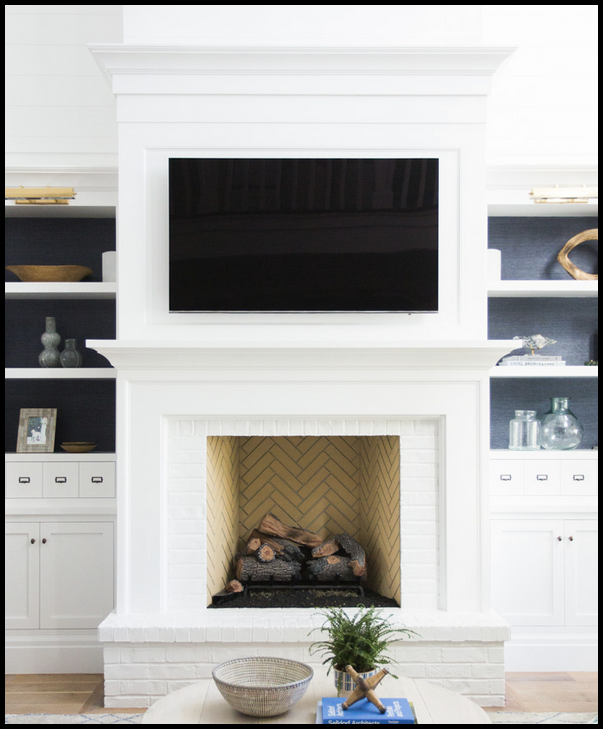
Fireplace

One of their specialties was fireplace surrounds, which they had initially started making for friends and family. But word quickly spread about their exceptional workmanship, and before they knew it, they were taking orders from all over town. However, the one thing holding them back was the time and effort it took to design each piece. They were still using traditional methods like pencil and paper, and the process was slow and cumbersome.  They needed to bring in some cabinet design and production software.

That’s when they discovered SketchList 3D, a digital design software that allowed them to create a library of parts and sub-parts that they could easily mix and match to create unique designs for each customer. With the new software, their design process became a breeze, and they could take on even more orders. They continued to grow their business, expanding their product line and eventually opening up their storefront. Years later, I still think about that company and how its dedication and willingness to try new things helped them succeed in such a competitive industry. It’s a great reminder that sometimes, it takes a small change to make a big impact.  In their case cabinet design and production was a big aid.

Starting a woodworking business

This can be an exciting and rewarding venture, especially when you do it with your spouse. Custom woodworking businesses are becoming increasingly popular and for good reason. With the rise of online marketplaces and e-commerce platforms, showcasing and selling your woodworking creations to a global audience has never been easier. By starting a woodworking business with your husband or wife, you can combine your skills and create a harmonious partnership that is sure to produce beautiful and unique pieces that your customers will love.

Teamwork

One the biggest advantages of starting a woodworking business with your spouse is the ability to divide and conquer. You can each focus on your strengths and work together to create a cohesive business strategy. For example, one of you may be better at designing and creating products, while the other may excel at marketing and customer service. By working together, you can create a business that is both efficient and effective. Another advantage of starting a custom woodworking business with your spouse is the ability to create a unique brand that reflects your shared values and vision.

But clear communication is mandatory – and you improve communications with the clear reports and drawings a cabinet design and production system provides.

You can use your love of woodworking and your relationship as a foundation for your brand, which can help you stand out in a crowded market. By creating a strong brand identity, you can attract loyal customers who appreciate the quality and craftsmanship of your products. In conclusion, starting a woodworking business with your husband or wife can be fulfilling and profitable. By combining your skills and working together, you can create beautiful and unique products that your customers will love. With a solid business plan and a strong brand identity, you can build a successful woodworking business that will stand the test of time.

Speed

With so much to do, they need to find ways to speed up their processes and save precious hours. One way to do this is by using cabinet design and production software to help them generate proposals quickly and respond to customer changes efficiently. With the right software, they can generate reports for their shop without wasting time on manual data entry. However, it is crucial to choose software that is easy to learn and use. The staff should not take too long to adapt to new software systems. Cabinet-making software is designed specifically for woodworking businesses, allowing them to streamline their operations from design through installation. By utilizing this innovative technology, these budding businesses can be sure they are maximizing their time and resources while producing high-quality products for their customers.

Are you tired of spending hours designing custom woodworking projects only to have to start from scratch when you realize you’ve missed a crucial element? Do you want more clear reports and drawings for sales and production? Your woodworking business deserves better.

You know that time is money, and spending unnecessary hours on designs and reports is cutting your profits. Not having the right information can lead to mistakes, delays, and, ultimately, dissatisfied customers. You need a solution that streamlines your design process and provides your team with clear, concise reports and drawings.

Thought points

– SketchList 3D allows woodworking businesses to create 3D designs of their projects before they begin building.

– This allows businesses to visualize their designs before any physical work is done, ultimately saving time and money.

– The software also includes a library of pre-built objects such as cabinets easily customized to fit specific project needs.

– SketchList 3D generate detailed cut lists and material lists, making it easier to order materials and plan their projects.

– For new woodworking businesses, SketchList 3D can be especially helpful in establishing a professional and efficient workflow.

– With the ability to create detailed lists, businesses can more accurately estimate project costs and timelines.  This leads to increased profitability and customer satisfaction.

– A new woodworking business can use SketchList 3D to create a 3D model of a custom cabinet for a client. And make the necessary adjustments, and generate a detailed material list for ordering. This ensures that the final product meets the client’s expectations and is completed within the agreed-upon time frame and budget.

An increasing number of couples either starting their businesses or transitioning from remodeling to cabinet making are purchasing SketchList 3D for shed, woodworking and fireplace design. They commonly express the need for drawings and shop reports, which take too long to create by hand.  Cabinet design and production software does this all.

Categories
Uncategorized

Kitchen design according to Susan Susanka

Introduction

house kitchen design

Kitchen design:  As someone who has always been fascinated by home design, I was excited to read Sarah Susanka’s “The Not So Big House,” a book that emphasizes the importance of quality over quantity in home design. One of the main takeaways from the book is the idea that smaller homes can be just as functional and beautiful as larger ones. This principle applies to every part of the house, including the kitchen, which is often considered the heart of the home. In this article, I will explore the key principles of kitchen design in smaller homes, as well as provide tips and examples from “The Not So Big House.”

Key Considerations in Kitchen Design

Designing a kitchen in a smaller space requires a different approach than designing a larger one. One of the most important considerations is the layout of the kitchen. The kitchen triangle, which includes the stove, sink, and refrigerator, is a classic design principle that ensures the most efficient use of space. In a small kitchen, it is essential to keep the kitchen triangle as compact as possible while still allowing for ease of movement. The layout should also allow for ample counter space and storage, which can be a challenge in a smaller kitchen.

Another important consideration is the overall style and aesthetic of the kitchen. In a smaller space, it is essential to choose materials and finishes that are both functional and stylish. For example, choosing lighter colors and reflective surfaces can help create the illusion of more space. Additionally, incorporating natural light into the design can help make the kitchen feel brighter and more spacious.

Importance of Kitchen Layout

The layout of the kitchen is perhaps the most critical aspect of kitchen design in a smaller home. As mentioned earlier, the kitchen triangle is a classic design principle that ensures the most efficient use of space. In a smaller kitchen, it is essential to keep the kitchen triangle as compact as possible while still allowing for ease of movement. The layout should also allow for ample counter space and storage, which can be a challenge in a smaller kitchen.

One way to maximize storage in a small kitchen is to use every inch of available space. For example, you can install cabinets that go all the way up to the ceiling, or use the space under the sink for storage. Another option is to use open shelving, which can make the kitchen feel more spacious while still providing ample storage.

Kitchen Design Trends

In recent years, there has been a trend towards minimalist and modern kitchen design. This trend is especially relevant in smaller homes, where a cluttered or overly ornate design can make the space feel cramped. Simple, clean lines and neutral colors are popular choices for a modern kitchen. Additionally, incorporating natural materials such as wood or stone can add warmth and texture to the space.

Another trend in kitchen design is the use of smart technology. While this may not be as relevant in a smaller home, incorporating smart appliances and fixtures can help maximize space and efficiency. For example, a refrigerator with a built-in water dispenser can eliminate the need for a separate water filter, saving valuable counter space.

Tips for Designing the Perfect Kitchen in a Smaller Space

When designing a kitchen in a smaller space, there are several tips and tricks that can help maximize functionality and style. One of the most important tips is to keep the design simple and streamlined. This means choosing a minimalist aesthetic, using reflective surfaces to create the illusion of more space, and incorporating natural light.

Another useful tip is to choose multi-functional appliances and fixtures. For example, a sink with a cutting board can save counter space, while a range with a built-in ventilation system can eliminate the need for a separate hood.

Finally, it is essential to prioritize storage in a small kitchen. This means using every inch of available space, including under the sink, above the cabinets, and on the walls. Using open shelving instead of cabinets can also help make the space feel more open and airy.

Materials and Finishes for a Functional and Stylish Kitchen

Choosing the right materials and finishes is essential for creating a functional and stylish kitchen in a smaller home. One of the most popular choices for a modern kitchen is quartz, which is durable, low-maintenance, and available in a wide range of colors and patterns. Another popular material is stainless steel, which is sleek, modern, and easy to clean.

When it comes to finishes, matte and satin finishes are becoming increasingly popular for kitchen appliances and fixtures. These finishes are less reflective than traditional chrome or polished finishes, which can help make the space feel more subtle and understated.

Storage Solutions for a Small Kitchen

Maximizing storage is essential in a small kitchen. One of the most effective ways to do this is to use every inch of available space. This means installing cabinets that go all the way up to the ceiling, using the space under the sink for storage, and incorporating open shelving.

Another useful storage solution is to use pull-out drawers and shelves. These can be installed in cabinets to maximize storage space and ensure that everything is easily accessible. Additionally, incorporating a pantry or tall cabinet can help free up counter space while providing ample storage for food and appliances.

Appliances and Fixtures for a Compact Kitchen

Choosing the right appliances and fixtures is essential for creating a functional and efficient kitchen in a smaller home. One of the most important considerations is size. Choosing compact appliances and fixtures can help maximize counter and storage space while still providing all the necessary features.

Another important consideration is efficiency. Choosing appliances and fixtures with high energy ratings can help reduce energy costs and minimize the impact on the environment. Additionally, incorporating smart technology can help maximize efficiency and convenience.

Examples of Well-Designed Kitchens in “The Not So Big House”

“The Not So Big House” provides several examples of well-designed kitchens in smaller homes. One example is a kitchen with a compact layout that includes a sink, stove, and refrigerator in a tight triangle. The kitchen also features ample counter space and storage, including open shelving and a pantry.

Another example is a kitchen that incorporates natural light and materials to create a warm and inviting atmosphere. The kitchen features a large window that allows natural light to flood the space, as well as natural wood finishes and stone countertops.

See how one SketchList 3D user designed a contract winning kitchen.

Conclusion and Final Thoughts on Kitchen Design in Smaller Homes

Designing a kitchen in a smaller home requires a different approach than designing a larger one. Maximizing storage, incorporating multi-functional appliances and fixtures, and choosing the right materials and finishes are all essential considerations. Additionally, the layout of the kitchen is perhaps the most critical aspect of kitchen design in a smaller home. By following these principles and tips, it is possible to create a functional and stylish kitchen in even the smallest of spaces.


Categories
Uncategorized Version 5

Cutlist optimizer addresses high wood costs

Maximizing Your Plywood Investment: How the Cutlist Optimizer in Sketchlist 3D Pro Saves Money

optimization saves money


“According to the Producer Price Index by Commodity, the price of plywood increased from 207.000 in February 2022 to 286.500 in February 2023, a significant increase of catalystmately 38.5% ocultist past year [1]. Additionally, a widely shared Facebook post claimed that the price of plywood had gone up by 252% in just over a year, with the price of Fir 23/32-inch sheathing increasing from $560 per thousand square feet a year ago to $1,610 in the Northwest and $455 to $1,500 in the South [2]. Timber prices in the US have also fluctuated over the last five years [3] Images.”

As a woodworking enthusiast or professional, you understand the importance of maximizing your materials and minimizing waste. One of the most effective ways to achieve this is by using a cutlist optimizer. A cutlist optimizer is a tool that helps you create an optimized list of the parts and cuts needed for your project.  reducing the amount of material waste and saving you money. In this article, I’ll introduce you to cutlist optimization [sometimes thought of as 4’x8 plywood cut calculator] and how it can help you save money on your woodworking projects.


What is a Cutlist Optimizer and How Does it Work?

A cutlist optimizer is a software tool that helps you create a list of all the parts and cuts needed for your project. It takes into account the dimensions of your materials and the specific pieces needed for your project to ensure that you make the most efficient use of your materials. The tool then generates a list of parts and cuts that you can use to build your project, minimizing waste and saving you money.

Cutlist optimizers work with advanced algorithms to analyze your project and determine the most efficient way to cut the materials. They take into account the grain direction, the size of the materials, and any specific needs of your project to ensure that you make the most of what you have.

Benefits of Using a Cutlist Optimizer in SketchList 3D Pro

SketchList 3D Pro is a powerful software tool that includes a cutlist optimizer. This tool has several benefits that make it an excellent choice for woodworking projects.

  1. One of the key benefits of SketchList 3D Pro’s cutlist optimizer is that it saves you time. It automates the process of creating a cutlist, which can be time-consuming if done manually. With just a few clicks of a button, you can have a complete cutlist that is optimized for your project.
  2. Another benefit of SketchList 3D Pro’s cutlist optimizer is that it reduces waste. By optimizing your cuts, you can reduce the amount of material needed for your project, which can save you money in the long run.
  3. SketchList 3D Pro’s cutlist optimizer also helps you avoid errors. By automating the process, you reduce the risk of human error, which can lead to mistakes in your project. This can save you time and money by preventing costly mistakes.


Overview of SketchList 3D Pro’s Cutlist Optimizer Features

SketchList 3D Pro’s cutlist optimizer has several features that make it a powerful tool for woodworking projects.

One of the key features is the ability to generate a 4’x8 plywood cut calculator. This feature allows you to enter the dimensions of your material and the pieces you need it will generate a list of cuts that maximize the use of your material.

Another feature of SketchList 3D Pro’s cutlist optimizer is the ability to create custom parts. This feature allows you to create parts that are specific to your project, ensuring that you have the exact pieces needed for your project.

SketchList 3D Pro’s cutlist optimizer also includes a feature that allows you to group similar parts together. This feature can save you time and effort by allowing you to cut multiple pieces at once.


How to Create a Cutlist in SketchList 3D Pro

Creating a cutlist in SketchList 3D Pro is a simple process. First, you’ll need to create a project in SketchList 3D Pro. Once you’ve created your project, you can use the cutlist optimizer tool to generate a list of cuts.

To use the tool, you’ll need to enter the dimensions of your material and the pieces you need. The tool will then generate a list of cuts that maximize the use of your material.

Once you have your cutlist, you can use it to guide your cutting process. The cutlist will tell you exactly what cuts you need to make and how to make them, ensuring that you get the most out of your materials.


Using the 4’x8 Plywood Cut Calculator to Maximize Your Plywood Investment

The 4’x8 plywood cut calculator is a powerful tool that can help you maximize your plywood investment. It works by taking into account the dimensions of your material and the pieces you need, and generating a list of cuts that maximize the use of your material.

To use the 4’x8 plywood cut calculator, you’ll need to enter the dimensions of your material and the pieces you need. The tool will then generate a list of cuts that minimize waste and maximize your use of the material.

Using the 4’x8 plywood cut calculator can save you money by reducing the amount of material you need for your project. It can also save you time by automating the process of creating a cutlist.


Tips for Using SketchList 3D Pro’s Cutlist Optimizer Effectively

To get the most out of SketchList 3D Pro’s cutlist optimizer, there are a few tips to keep in mind.

  • First, make sure you enter the correct dimensions for your material. This will ensure that the tool generates an accurate cutlist that maximizes the use of your material.
  • Second, take the time to design custom parts for your project, including proper size, grain direction and thickness. This will ensure you have the exact pieces needed for your project, reducing waste and saving you money.
  • Finally, group similar parts together when possible. This can save you time and effort by allowing you to cut multiple pieces at once.

Examples of Cost Savings from Using a Cutlist Optimizer in SketchList 3D Pro

Using a cutlist optimizer can save you money on your woodworking projects. Here are a few examples of cost savings that can be achieved by using SketchList 3D Pro’s cutlist optimizer:

  • Reducing material waste: By optimizing your cuts, you can reduce the amount of material needed for your project, which can save you money.
  • Avoiding mistakes: By automating the process, you reduce the risk of human error, which can lead to costly mistakes.
  • Saving time: By automating the process of creating a cutlist, you can save time and effort, which can translate into cost savings.

Conclusion: The Importance of a Cutlist Optimizer in Saving Time and Money for Woodworking Projects

Using a cutlist optimizer is an effective way to save time and money on your woodworking projects. SketchList 3D Pro’s cutlist optimizer is a powerful tool. that can help you create an optimized cutlist for your project quickly and easily. By using this tool, you can reduce material waste, avoid mistakes, and save time and effort.

One user wrote in that SketchList 3D optimization saved him more on plywood than the cost of the software.

So why not give SketchList 3D Pro’s cutlist optimizer a try and see how it can help you save money on your next woodworking project?


Categories
Uncategorized Version 5

Woodwork Design – Pro or Hobby Comparison

Unleashing Your Woodworking Creativity: A Closer Look at SketchList V5 Pro and Hobby

woodworking design comparision

Woodwork design.  As a woodworking enthusiast, I know firsthand how important it is to have a well-thought-out woodwork design before starting any project. It not only saves time but also ensures that the final product is exactly what you envisioned. That’s where woodworking design app comes in, and SketchList V5 Pro and Hobby are two of the best options.


Introduction to Woodwork Design

Woodworking design is creating a plan or blueprint for a woodworking project. This includes determining the dimensions, shape, and materials needed to create the final product. A good design is essential for both functional and aesthetic reasons. It ensures that the project will be structurally sound and the finished product will be visually appealing.

Creating a woodworking design used to be a time-consuming and tedious process. It involved drawing everything by hand, measuring and re-measuring, and making countless calculations. But with the advent of woodworking design software, the process has become much easier and more efficient.


The Importance of Having Woodworking Design Software

Woodworking design software takes the guesswork out of the design process. It allows you to create accurate and detailed plans quickly and easily. It also provides a range of features not available when designing by hand, such as 3D modeling, material optimization, and cost estimation.

A woodworking design software is particularly useful if you are a professional woodworker or frequently take on complex projects. It can save you time, reduce errors, and help you create more intricate and unique designs.


SketchList V5 Pro and Hobby Features and Benefits

SketchList V5 Pro is a professional woodworking design software specifically designed for woodworkers, cabinet makers, and furniture designers. It has a range of features that make it one of the most comprehensive woodworking design software options available.

One of the critical features of SketchList V5 Pro is its 3D modeling capabilities. It allows you to create detailed 3D models of your designs, which gives you a better sense of how the finished product will look. It also has a range of tools for adding details such as joinery, hardware, and finishes.

SketchList V5 Pro also has a range of optimization tools that can help you reduce waste and save money on materials. It can automatically calculate the wood you need for a project and even generate a cut list. This can save you a lot of time and effort when ordering and cutting materials.

SketchList Hobby is the smaller, more affordable version of the SketchList V5 Pro. It is designed for hobbyists and DIY enthusiasts who want to try their hand at woodworking design. Despite its lower price point, it still has many features that make it an excellent option for beginners.

One of the critical benefits of SketchList Hobby is its lower cost. While the features are more limited than in the Pro version, you can still accomplish a wide range of designs.

They both offer a range of videos and guides to help you start with woodworking design.


How to Use SketchList V5 Pro and Hobby

Using SketchList V5 Pro and Hobby is relatively straightforward. Once you have installed the woodworking design app, you can start creating designs immediately. The first step is to create a new project and choose the dimensions and materials you want to use.

From there, you can start adding elements to your design, such as cabinets, drawers, and shelves. You can also add details such as joinery, hardware, and finishes. Once you are happy with your design, you can export it as a 3D model or a 2D drawing.


Comparison Between SketchList V5 Pro and Hobby

The main difference between SketchList V5 Pro and Hobby is their target audience. SketchList V5 Pro is designed for professionals who need a comprehensive woodworking design software. In contrast, SketchList Hobby is designed for hobbyists and DIY enthusiasts who want to try their hand at woodworking design.

Regarding features, SketchList V5 Pro has a range of advanced tools that are not available in SketchList Hobby. For example, it has a range of optimization tools that can help you reduce waste and save money on materials. It also has a more comprehensive library of materials and hardware.

However, SketchList Hobby still has many features that make it an excellent option for beginners. It has a simple and intuitive interface that makes it easy to create designs quickly, and it still has a range of tools for adding details and customizing your designs.

User Reviews and Experiences with SketchList V5 Pro and Hobby

User reviews of SketchList V5 Pro and Hobby are generally positive. Many users praise the software for its ease of use, comprehensive features, and accuracy. They also appreciate the customer support provided by the SketchList team.

Some users have noted that SketchList V5 Pro can be overwhelming for beginners and that it has a steep learning curve. However, they also note that the software becomes much easier to use with practice.

Overall, users are very satisfied with both SketchList V5 Pro and Hobby. They appreciate the range of features and the software’s accuracy, and they find it a great tool for creating woodworking designs.


Tips and Tricks for Using SketchList V5 Pro and Hobby

Here are a few tips and tricks for using SketchList V5 Pro and Hobby:

  1. Take advantage of the tutorials and guides provided by SketchList. They can be an excellent resource for learning how to use the software.
  2. Use optimization tools to reduce waste and save money on materials. This can be especially useful if you are working on a large project.
  3. Experiment with different materials and finishes to see how they will look in your design. SketchList has a range of materials and finishes, so take advantage of them.
  4. Use the 3D modeling tools to better understand how your design will look in real life. This can help you identify any issues before you start building.

Other Woodworking Design Software Options in the Market

While SketchList V5 Pro and Hobby are great options for woodworking design app, other options are available in the market. Some popular alternatives include:

  1. SketchUp: This 3D CAD software is used in the woodworking industry. See this article for more information.
  2. Fusion 360: This comprehensive design software generally used in the manufacturing industry. It has a range of tools for creating 3D models and features for simulation and analysis.
  3. SolidWorks: This popular 3D modeling software mostly used in engineering. It has a range of tools for creating complex designs and used for design and production.


Conclusion and Final Thoughts on SketchList V5 Pro and Hobby as Woodworking Design Software

SketchList V5 Pro and Hobby are both excellent options for woodworking design software. They have a range of features that make them comprehensive and easy to use, and they are suitable for both professionals and hobbyists.

While SketchList V5 Pro is the more comprehensive and advanced option, SketchList Hobby is an excellent choice for beginners who want to try their hand at woodworking design. Both software options provide accurate and detailed designs, essential for creating high-quality woodworking projects.

If you are a woodworking enthusiast, consider SketchList V5 Pro or Hobby as your woodworking design app. They are powerful tools that can help unleash your creativity and bring your woodworking projects to life.

For more information about woodwork design approaches see this article.

Inspiration available here.